
Test Management Software Features - Klaros Test Management
Klaros Test Management – Feature Tour
|
Download this feature tour in PDF format:
|
 |
 |
 |
 |
 Test Management
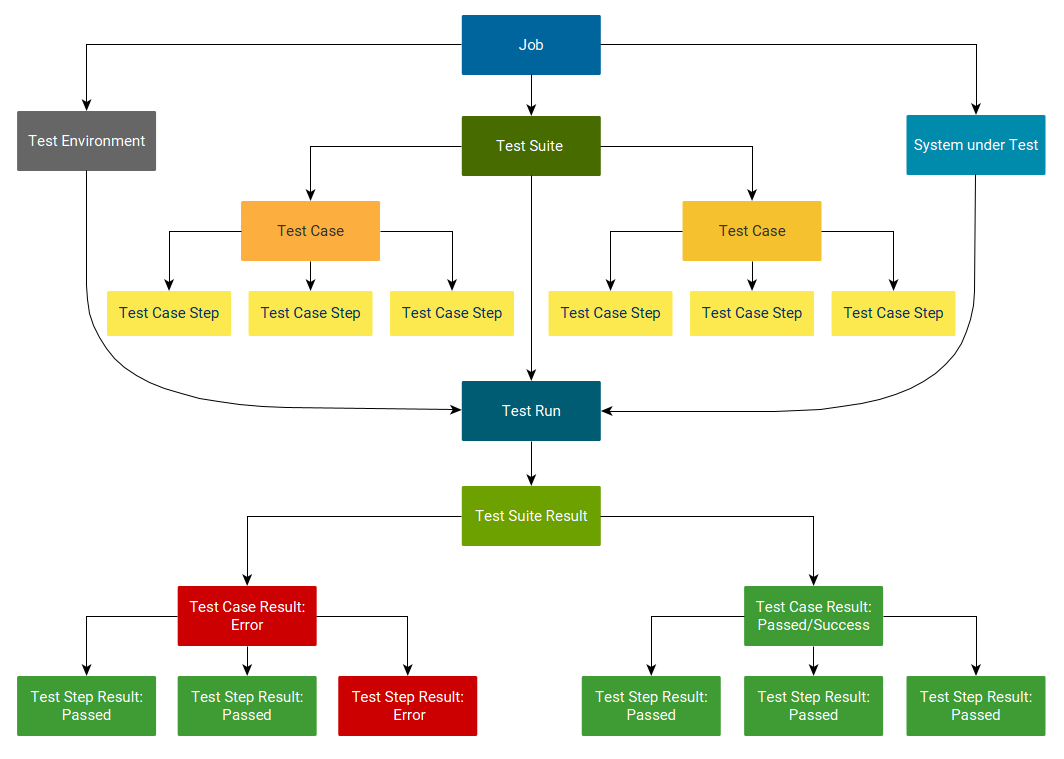
Data ManagementAll the data of a test project, such as test cases, test suites, test requirements, test environments, test objects, test runs and test results are stored together in a database. The organization and evaluation of the data takes place via a modern and comfortable web interface. |
 |
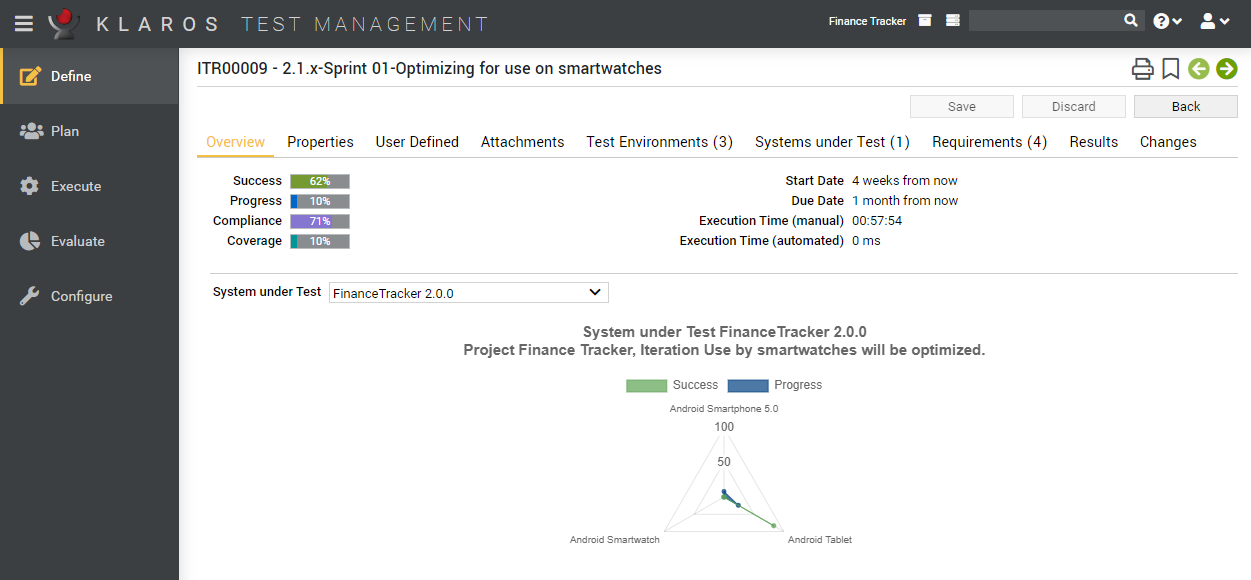
Agile and Classic ProcessesIn addition to classical development processes such as the waterfall or V-Model, iterative and agile methods such as Scrum or Kanban are also supported. |
 |
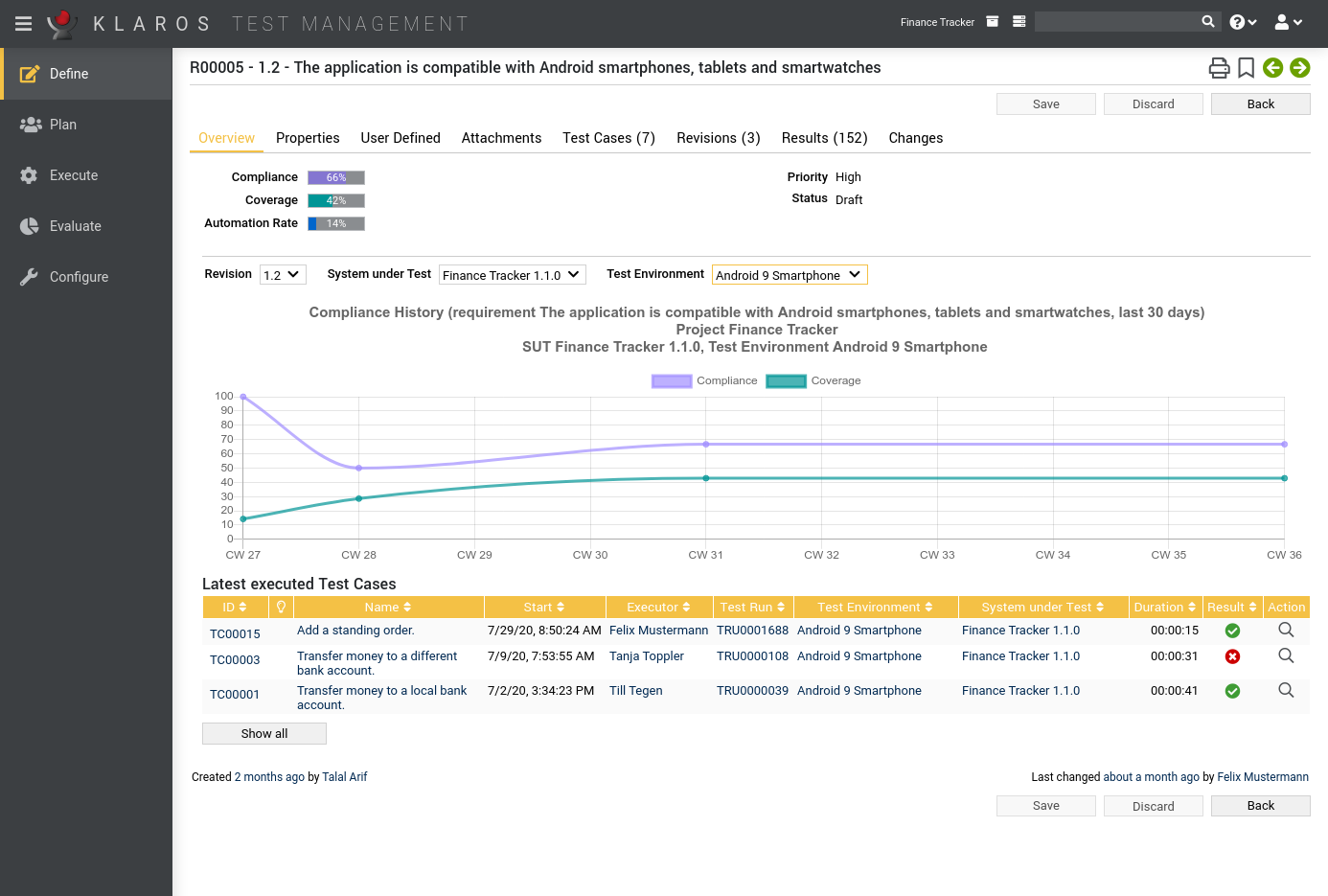
Requirements CoverageTest requirements can either be managed directly in the Klaros test management software or synchronized with external sources such as JIRA. The current requirements coverage can be displayed at any time. |
 |
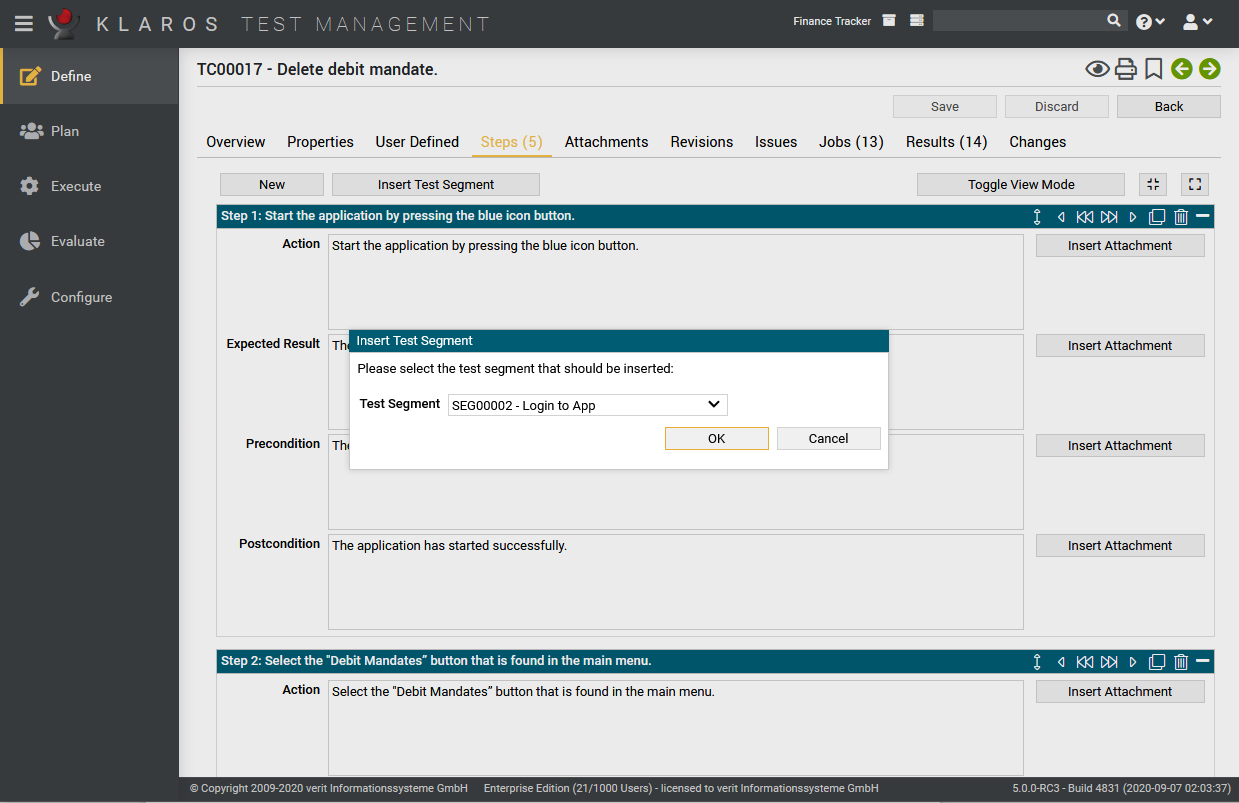
ModularizationFrequently recurring test steps can be summarized into segments, saved and simply selected and reused as needed. The modularized tests can be maintained with minimal effort. |
 |
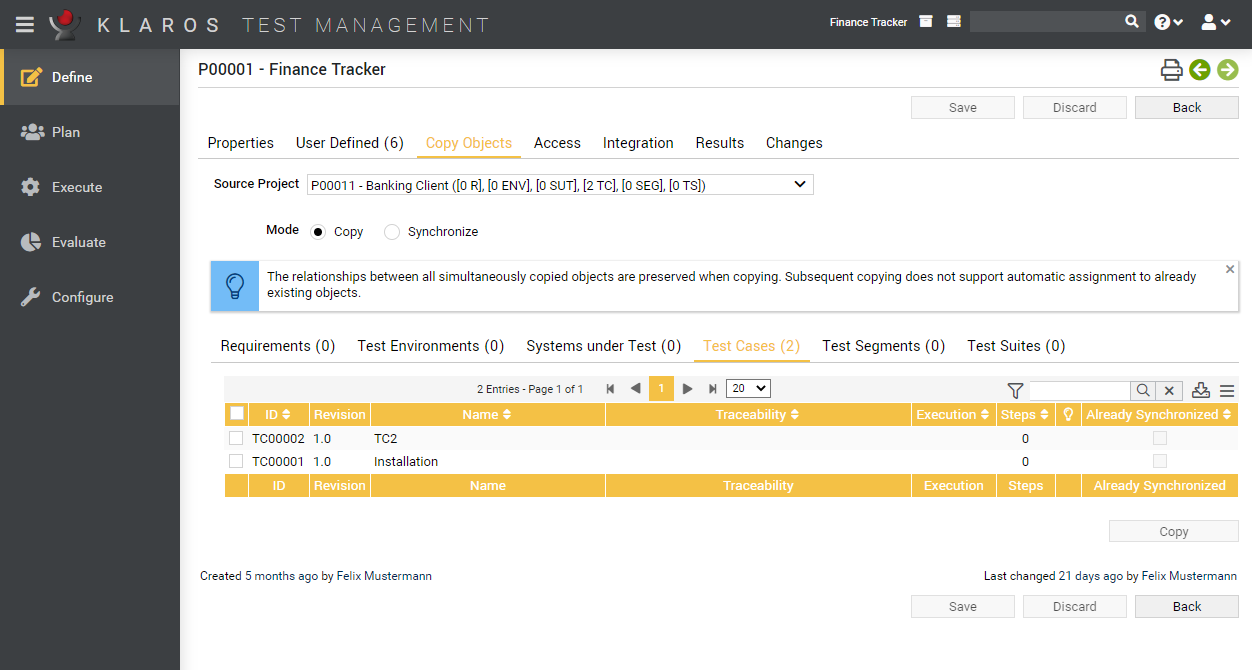
SharingTest cases and test suites can be centrally maintained and used simultaneously in several projects. Changes are only necessary in a single location and will be propagated to selected projects. |
 |
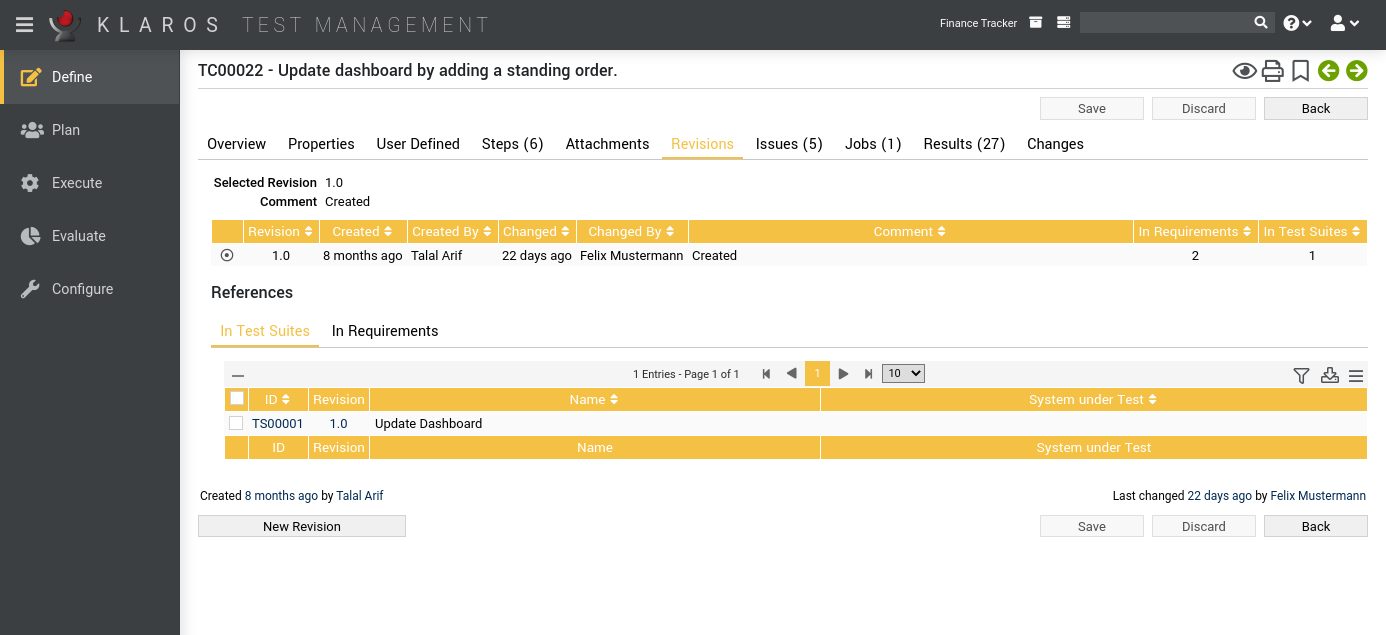
Version ControlThe Klaros test management software supports the versioning of test requirements, test cases and test suites. Each version can be maintained, executed, and evaluated separately. |
 |
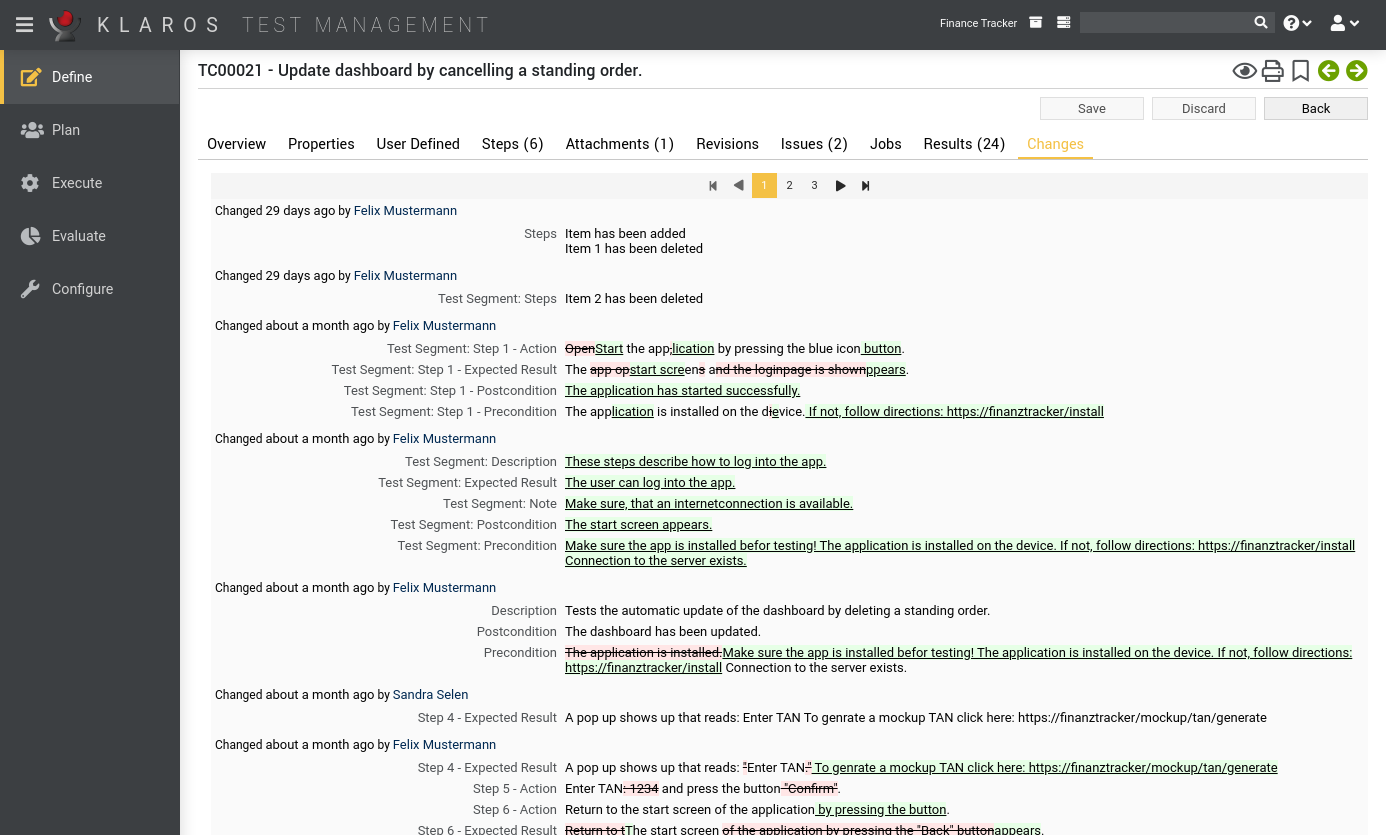
Tracking ChangesFor a seamless tracking of all changes applied to the managed data, such as test cases and test steps, all changes are logged automatically and displayed in a change history. |
 |
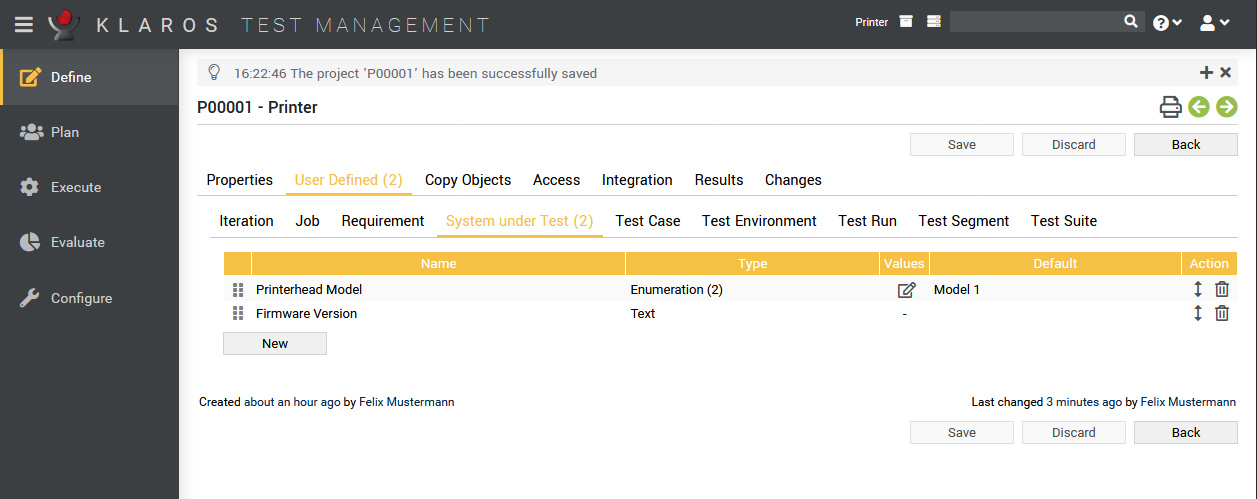
Custom fieldsEach test project can be configured individually using custom fields. These fields are available for requirements, iterations, test segments, test cases, test suites, test environments, and test systems. |
 |
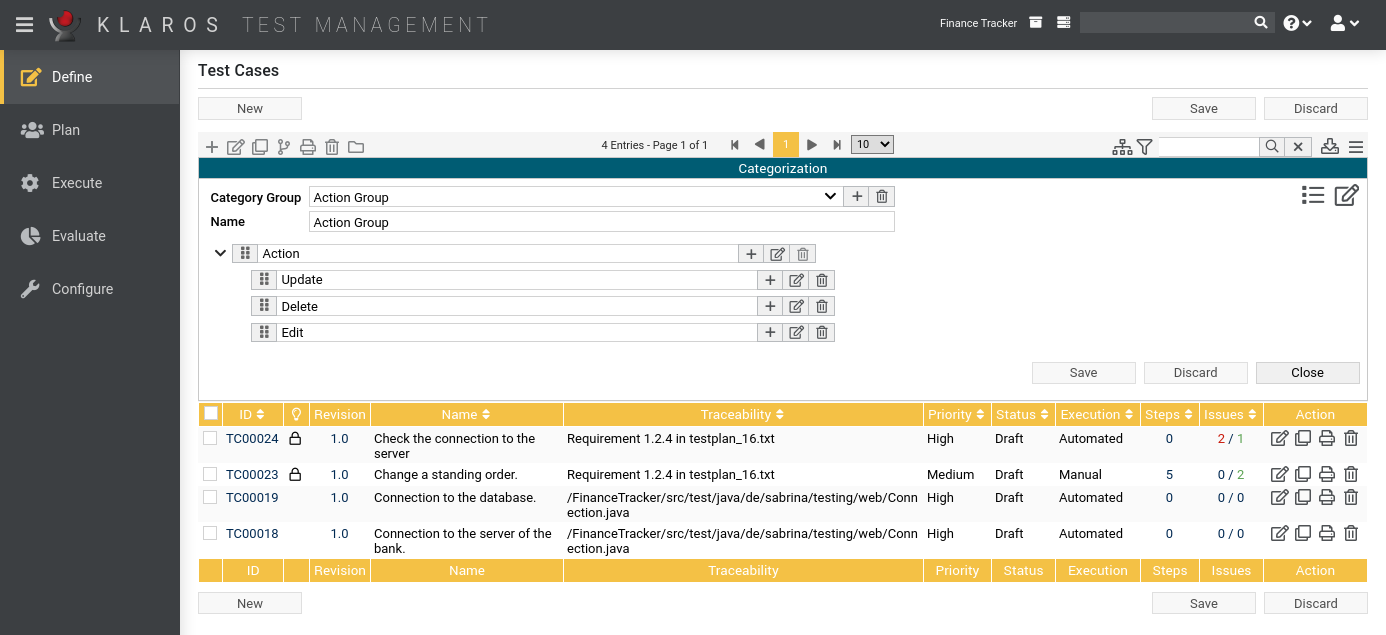
Individual ViewsAll involved objects can be categorized and arranged in multiple tree structures as required. This is similar to a file system based on individual criteria and allows different views of a test project. |
 |
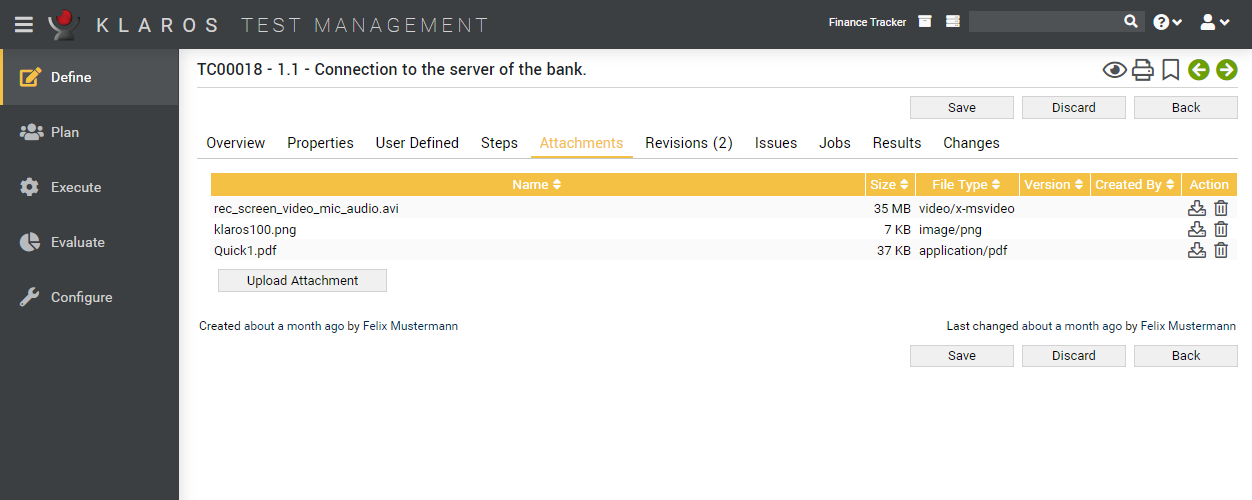
AttachmentsAdditional information, such as test data, text documents, graphics or screenshots can be uploaded to the Klaros Test Management software, saved and assigned to objects such as test cases and test results. |
 |
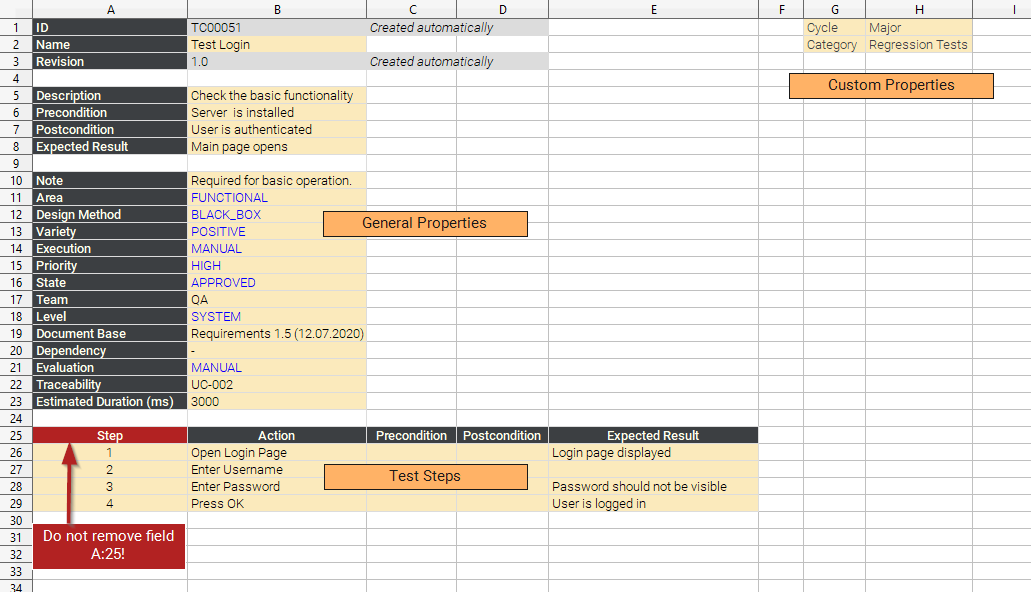
Import and ExportExisting requirements and test cases can be imported from XML and Excel files. A REST interface, if needed, provides continuous synchronization with an external data source or application. |
 |
 Test Planning
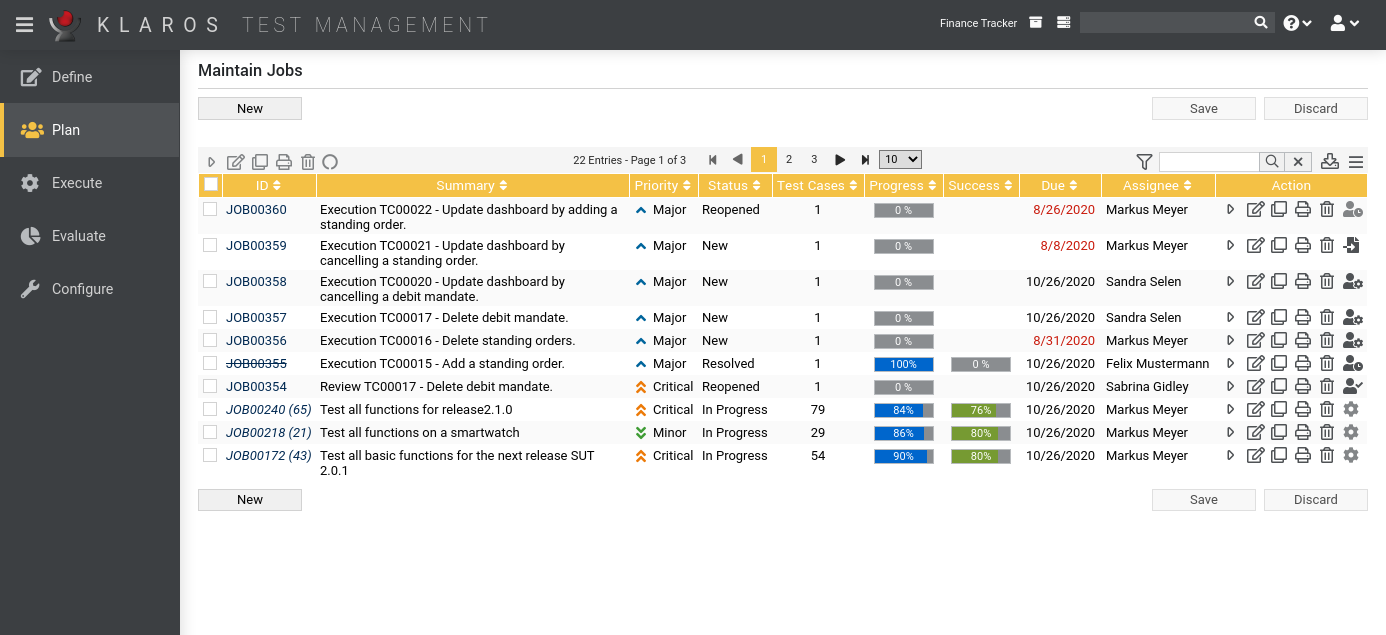
Task PlanningAt the push of a button, tasks for executing test cases and test suites are created and assigned to individual persons. The status of the task execution is visible at any time. |
 |
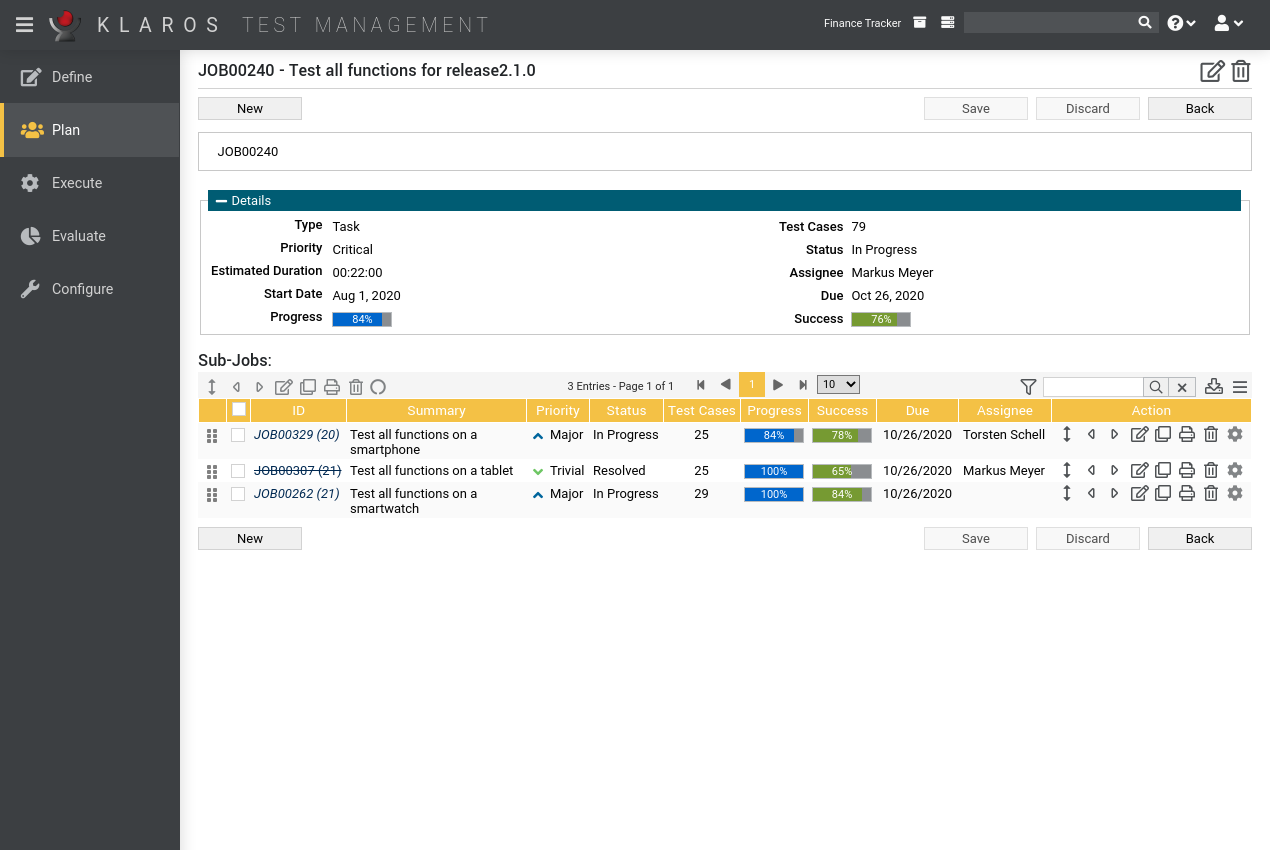
Test CoordinationTasks can be broken down into subtasks, arranged hierarchically and assigned to testers. By defining dependencies, you can set preconditions for successive test sequences. |
 |
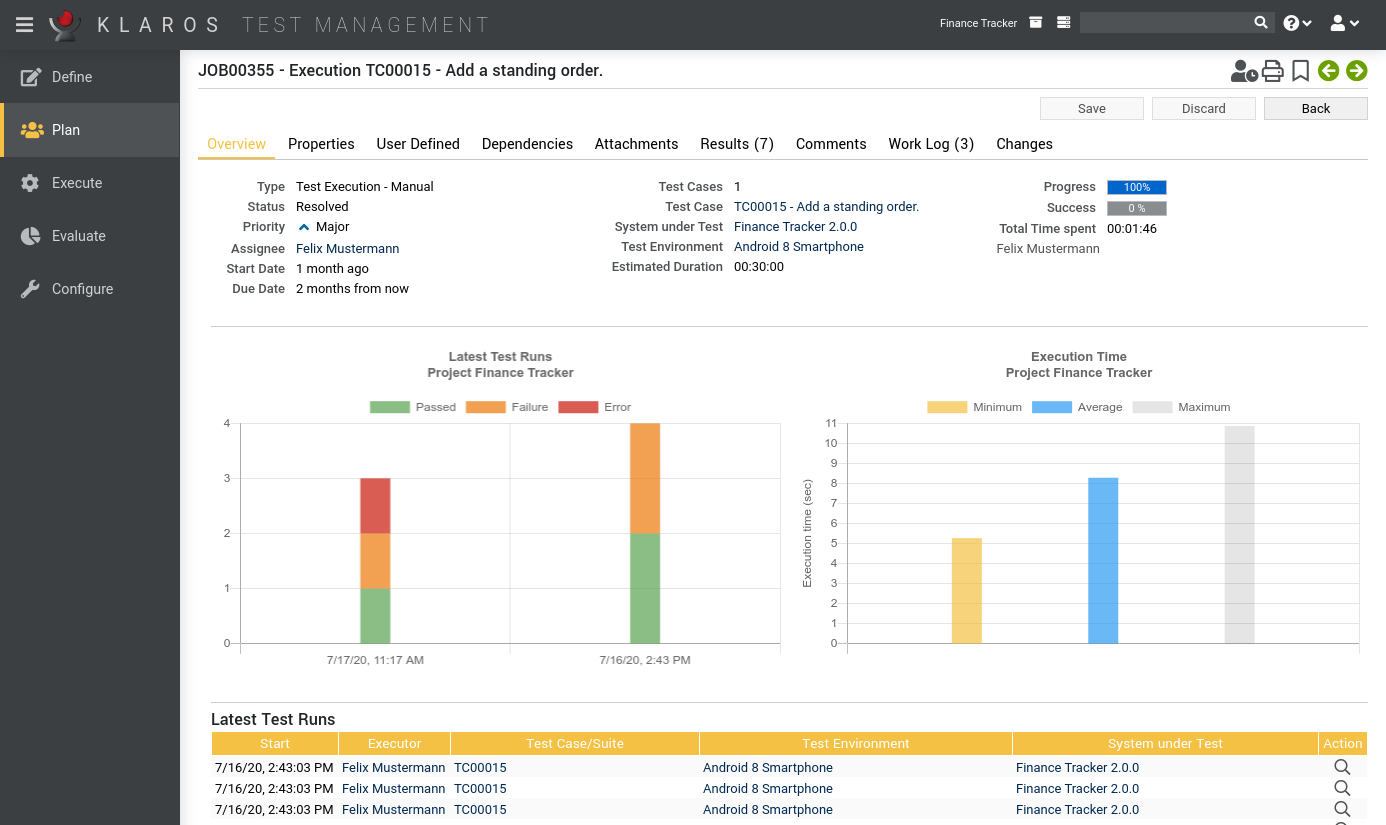
Utilization, Progress and SuccessClear tables and graphs show usage, duration, and progress of each user's test activity. The progress and success rates of the tests are directly available and always up to date. |
 |
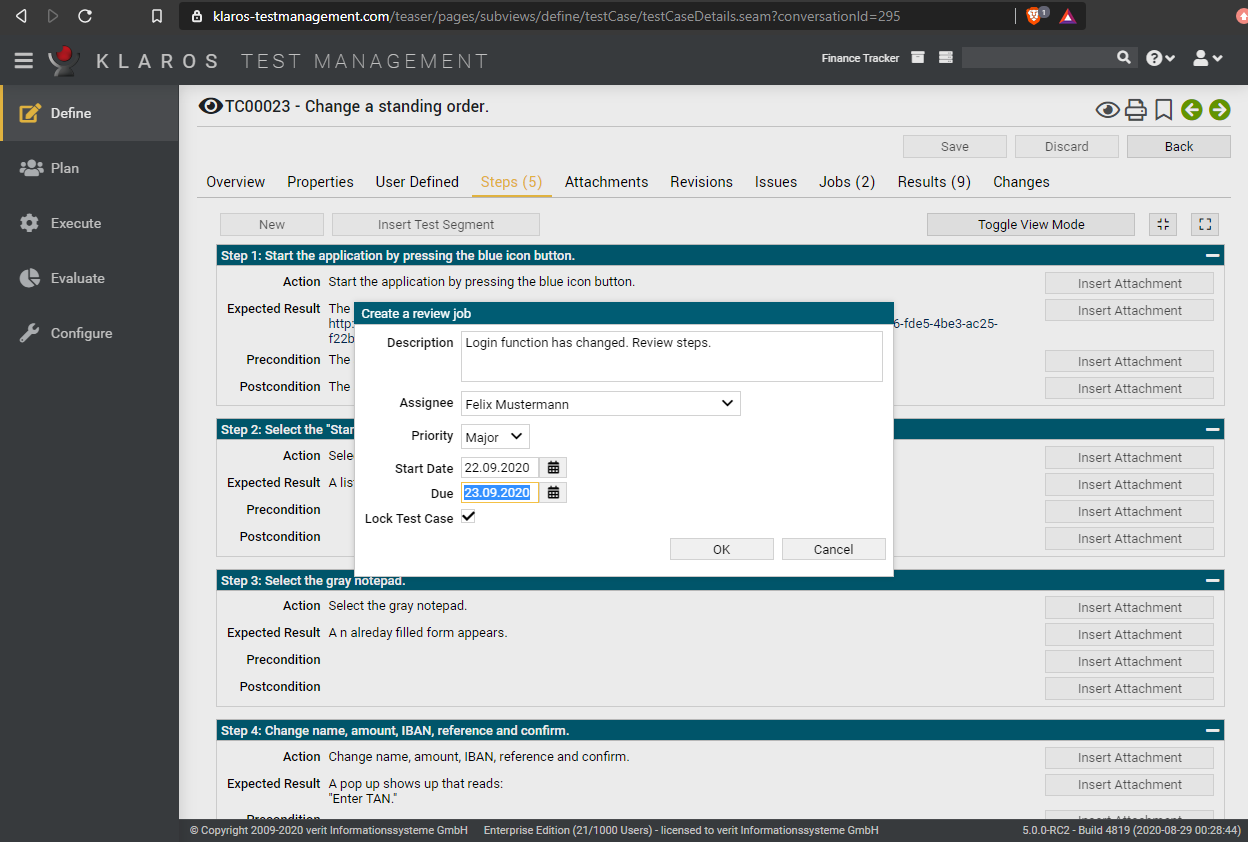
ReviewsEven test cases can be faulty sometimes. A review process of these tests can be generated as a special task and assigned to users. The process is logged automatically. |
 |
 Test Execution
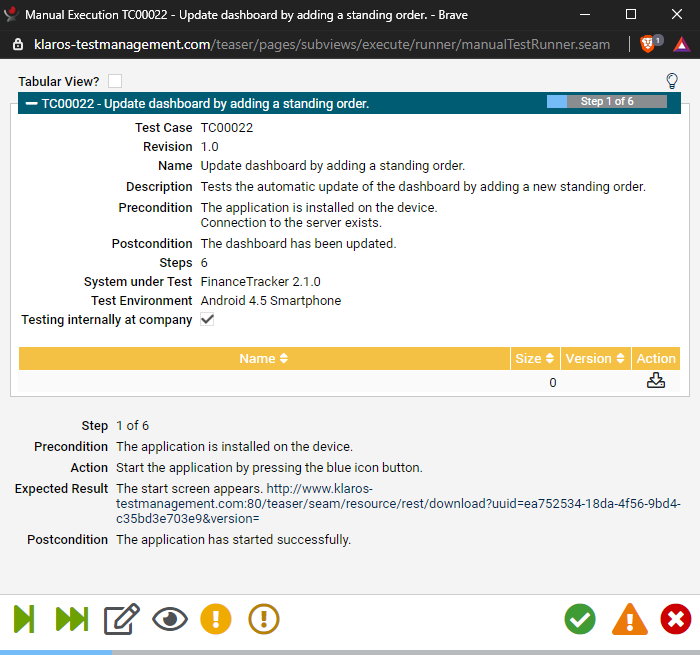
Guided Manual Test ExecutionThe Klaros test management software guides the tester step by step through the manual tests. The test process is automatically logged and makes the data obtained available for evaluation. For each step, annotations and attachments can be added to document the test result. |
 |
||||||||||||||||||||||||||
Automated Test ExecutionTest results generated by test automation tools can be imported manually or via REST interface and then be merged with manual test results. Over 30 different formats and tools are supported. |
|
||||||||||||||||||||||||||
Integrated Issue/Defect ManagementFound defects can be created and modified directly in issue management systems such as Bugzilla, GitHub, GitLab, JIRA, Mantis, Redmine and Trac during test execution, without having to leave the Klaros Test Management Software. |
|
||||||||||||||||||||||||||
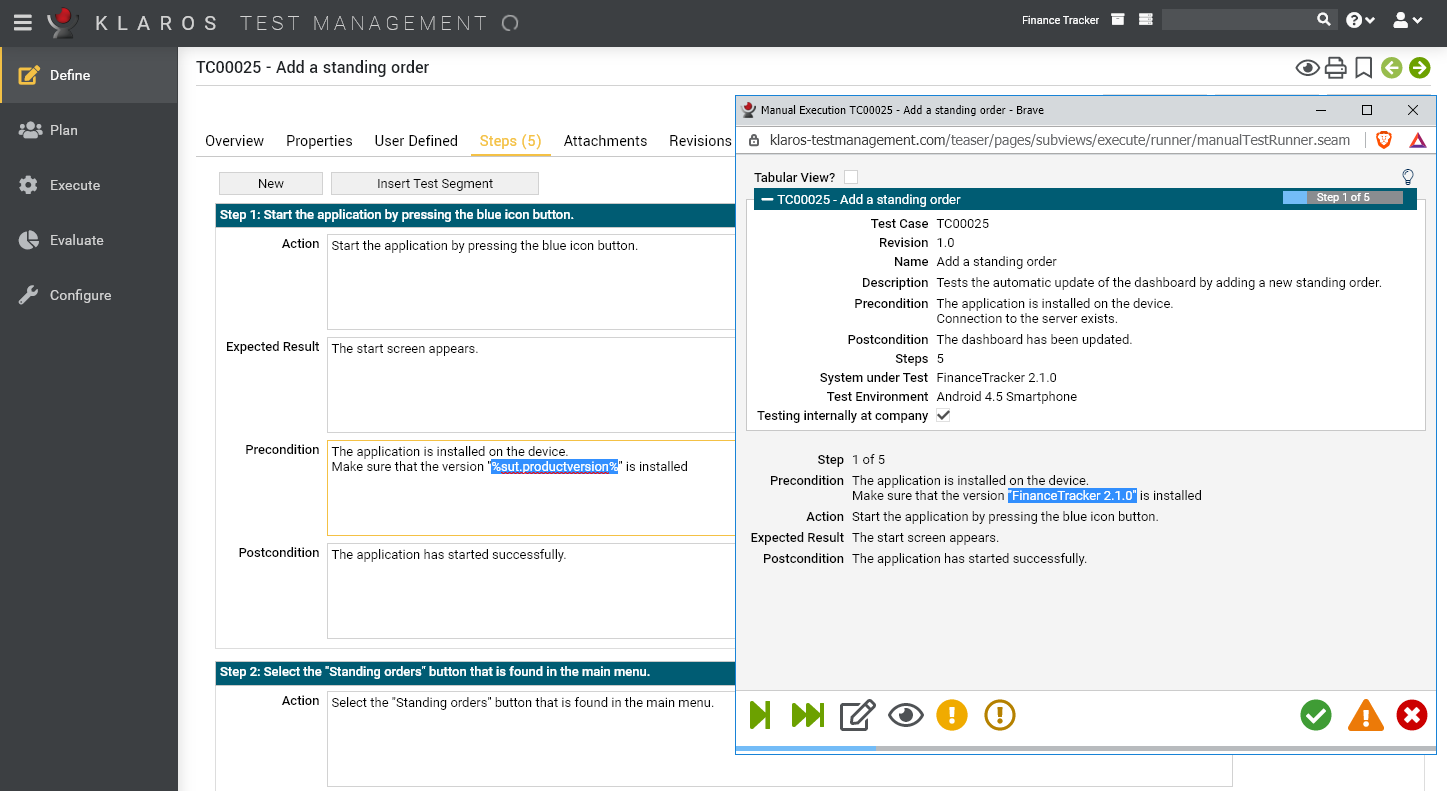
Separate Test Data and Test InstructionsThe input and test data used in test cases, such as credentials, IDs, etc., can be defined and stored externally in Excel sheets. Tests can thus be parameterized in a targeted manner and can be reused in different scenarios. |
 |
||||||||||||||||||||||||||
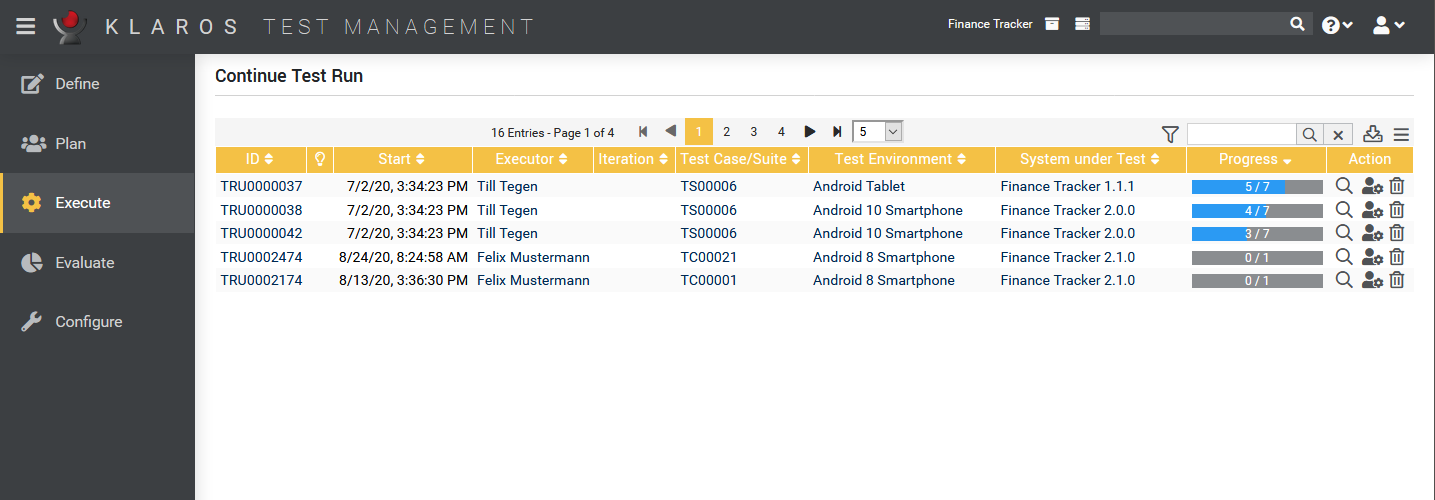
Resume Interrupted TestsThe manual test execution can be interrupted at any time and resumed at the same point in the test case at a later time. |
 |
||||||||||||||||||||||||||
Continuous IntegrationA plug-in for the Jenkins Continuous Integration Server automatically imports the test results generated by a Jenkins build into the Klaros Test Management software. |
 |


 Test Evaluation
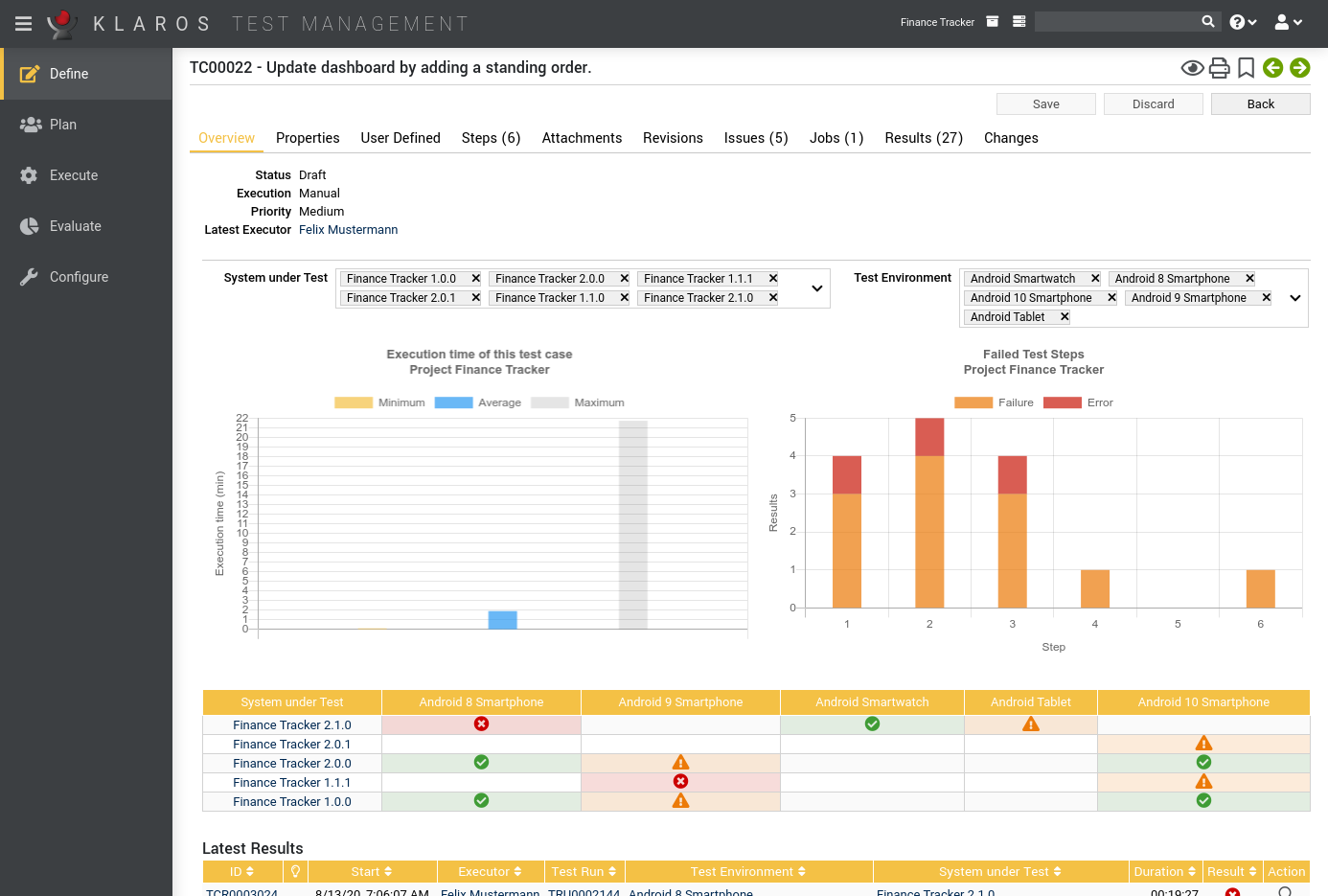
Clear and meaningful ReportsEvaluations and statistics can easily be prepared and retrieved from the information stored in the database. |
 |
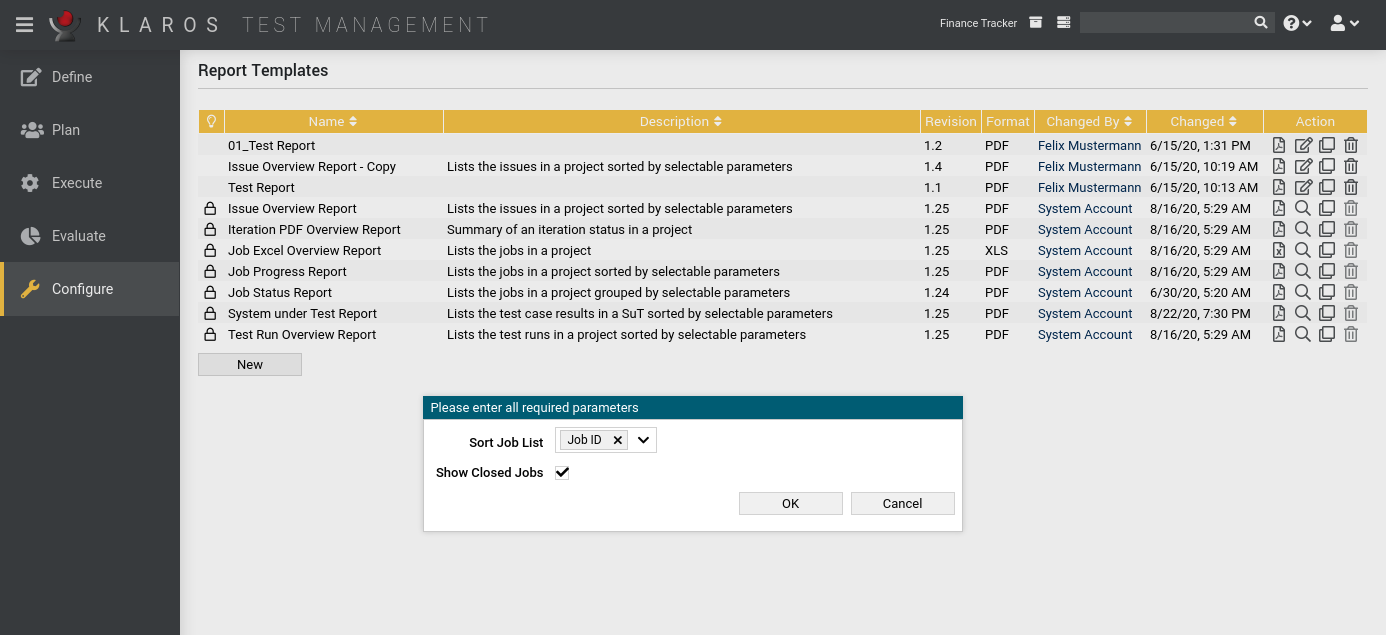
Predefined ReportsKlaros Test Management Enterprise Edition ships with numerous predefined reports that can be applied directly. |
 |
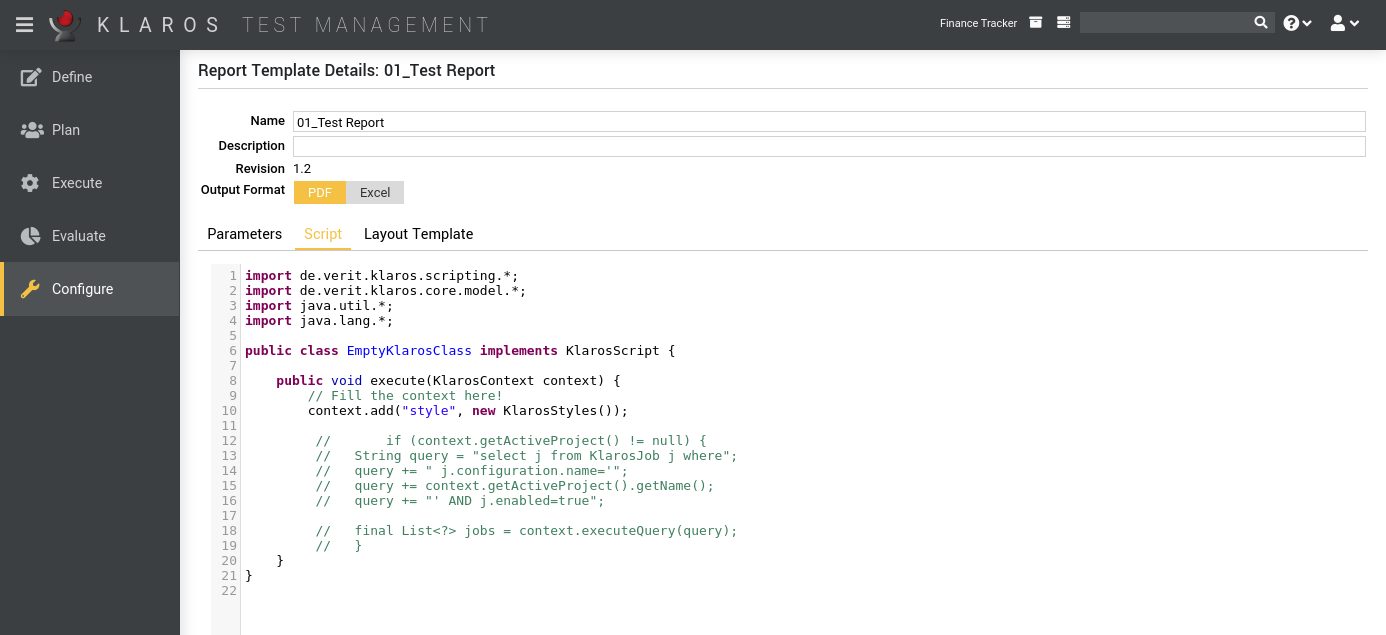
Customized ReportsUsing a programming interface that provides access to the entire database, custom reports in PDF or Excel format can be freely defined and applied to your data. |
 |
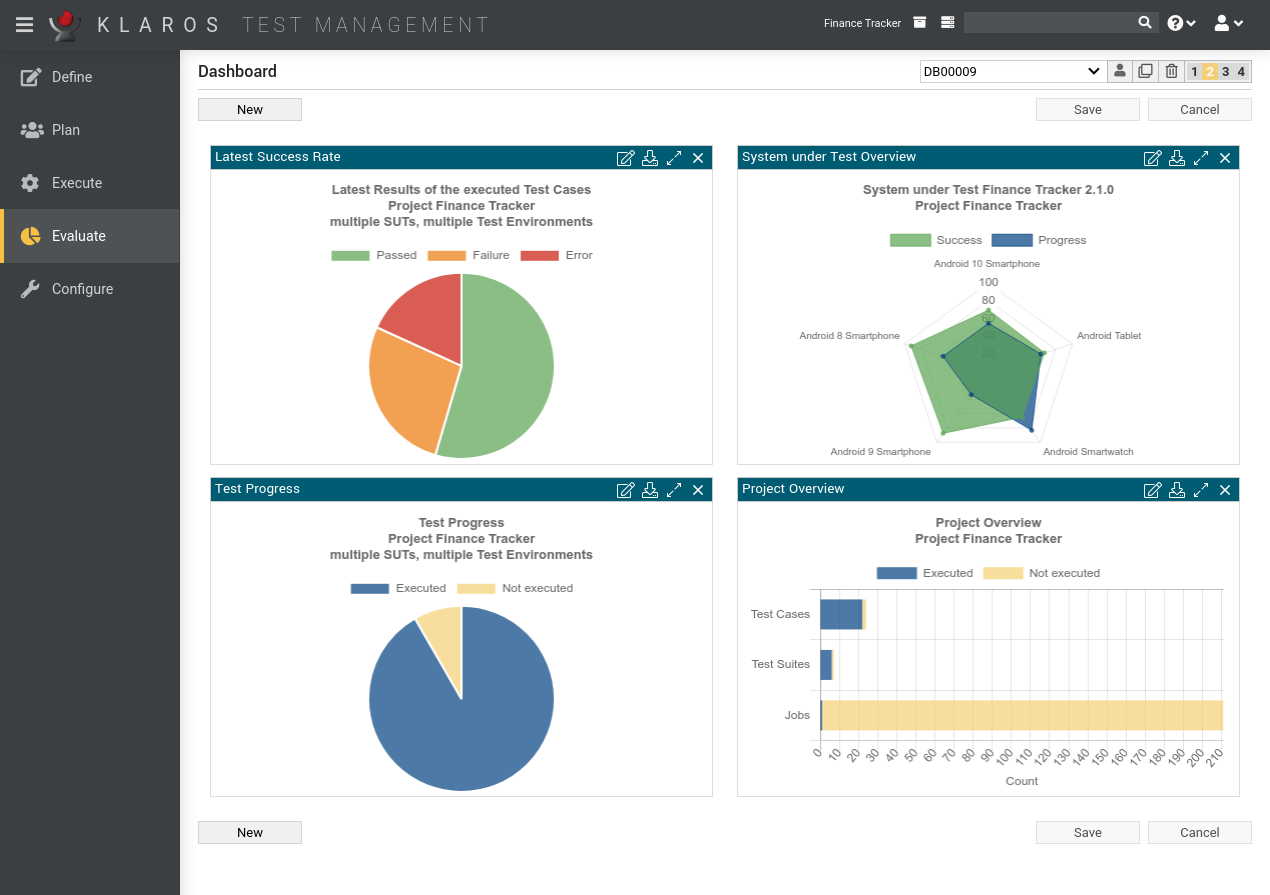
Configurable DashboardThe Dashboard provides numerous reports that show the state and progress of each activity and the entire project at a glance. It can be configured by the users according to their individual needs. Individual reports can be exported from there in several formats. |
 |
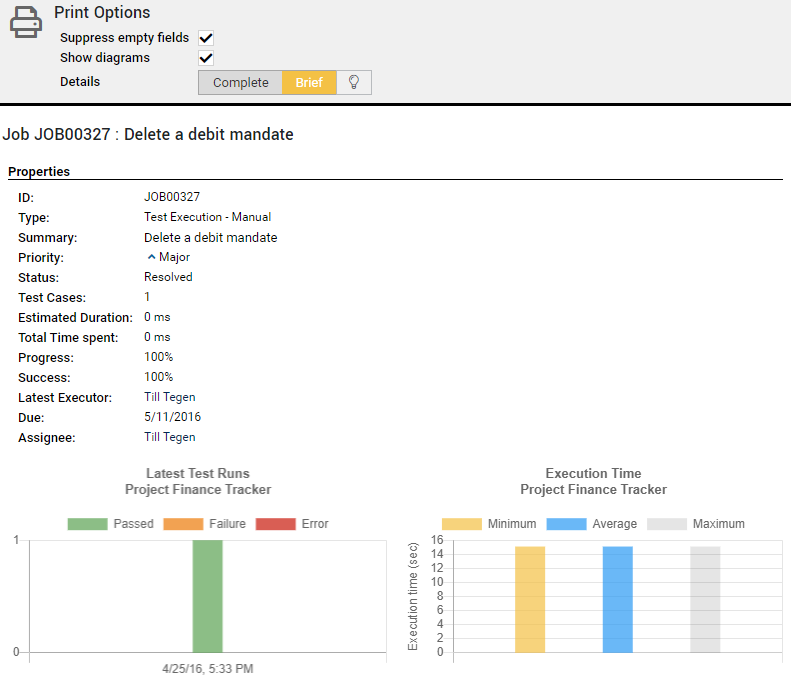
Print ViewMost views and result tables provide a customizable print-friendly page view and can be sent directly from the browser to the printer. |
 |
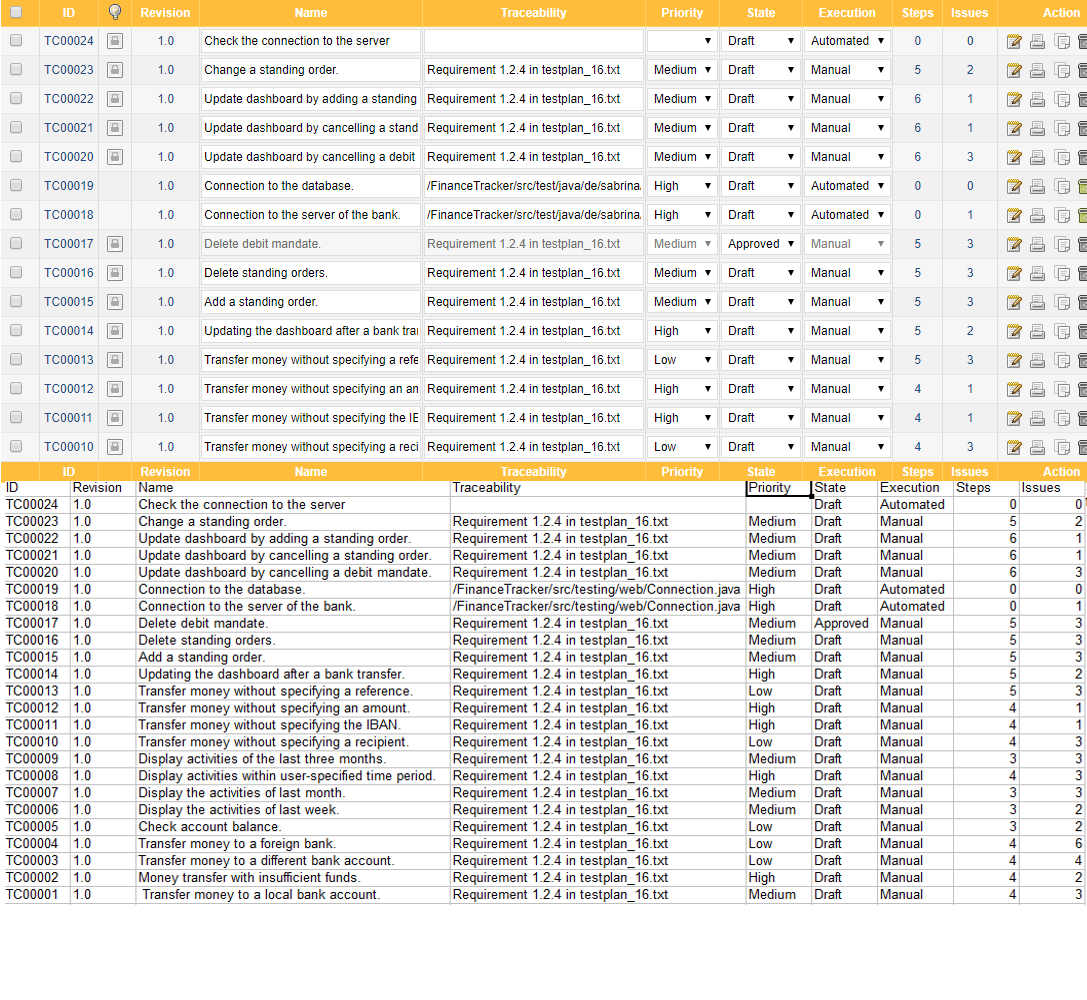
Excel Export of Data TablesIn case of a required post-processing or further evaluation, data tables can be exported to an Excel file. |
 |
 Configuration and Integration
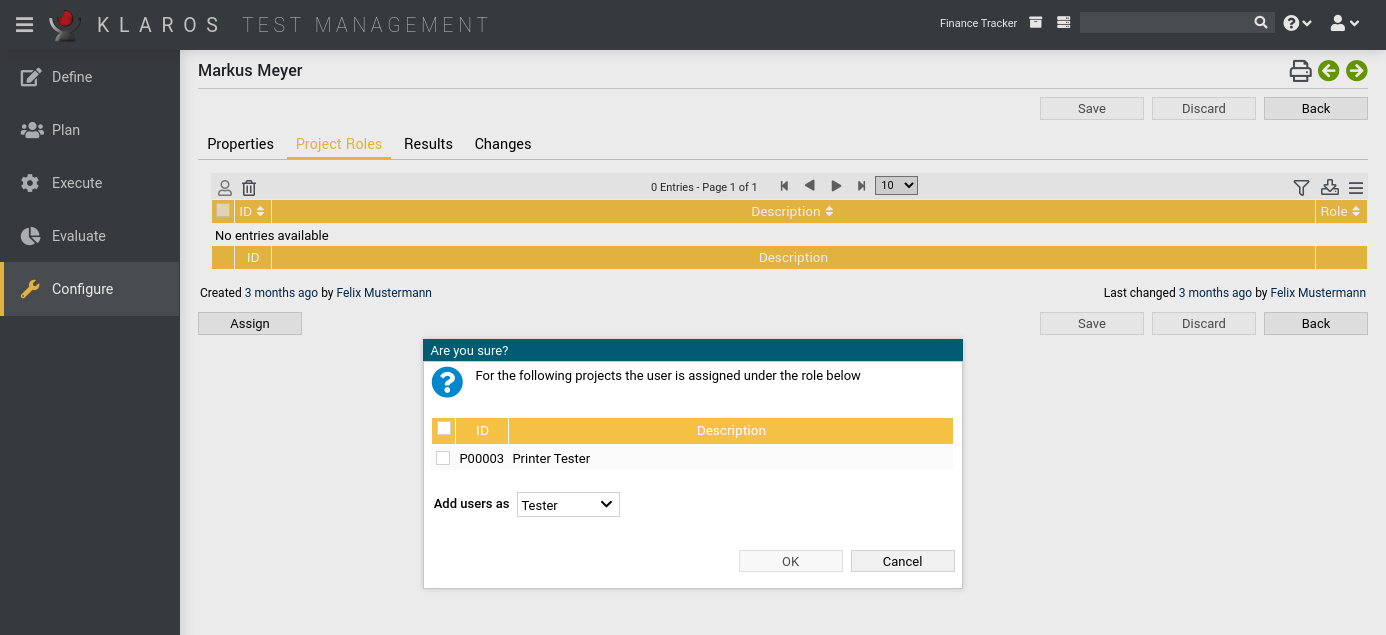
Rights and RolesUsers can be assigned different access permissions - ranging from administrative rights to read-only access. It can be applied on a global and on project level. |
 |
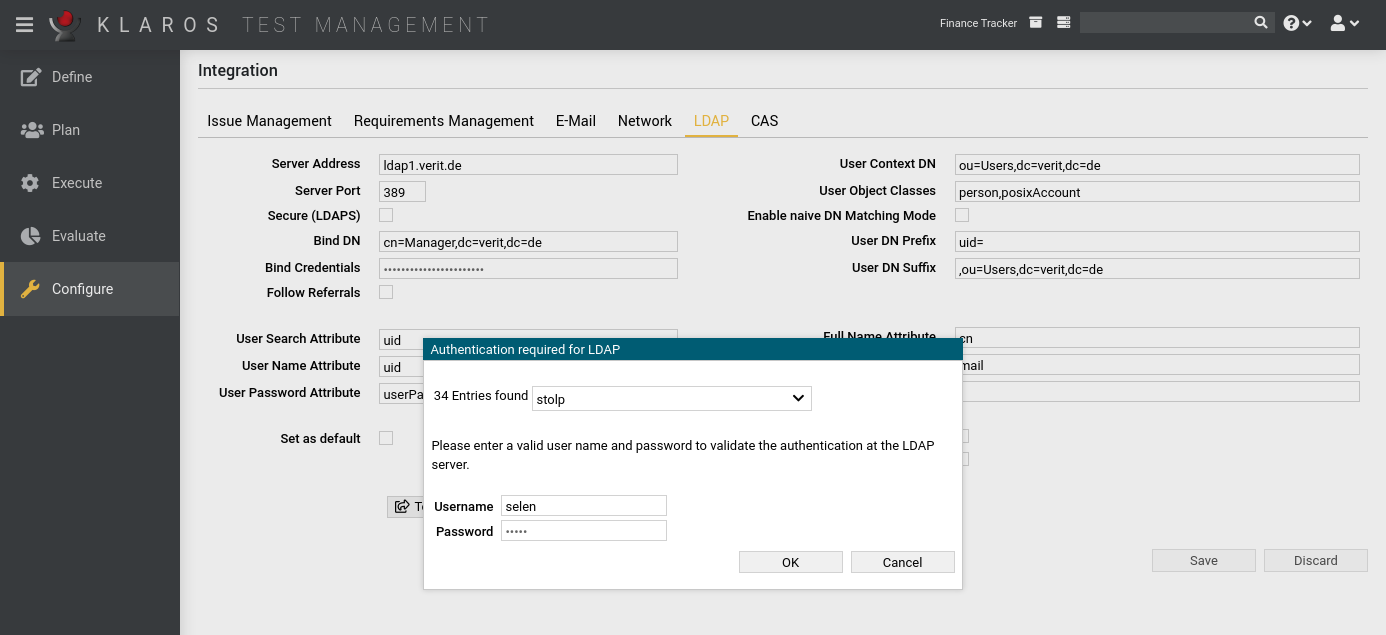
LDAP, Active Directory and CASUser authentication and password management can be handled directly in the Klaros Test Management software or via an external LDAP, Active Directory, or CAS server. |
 |
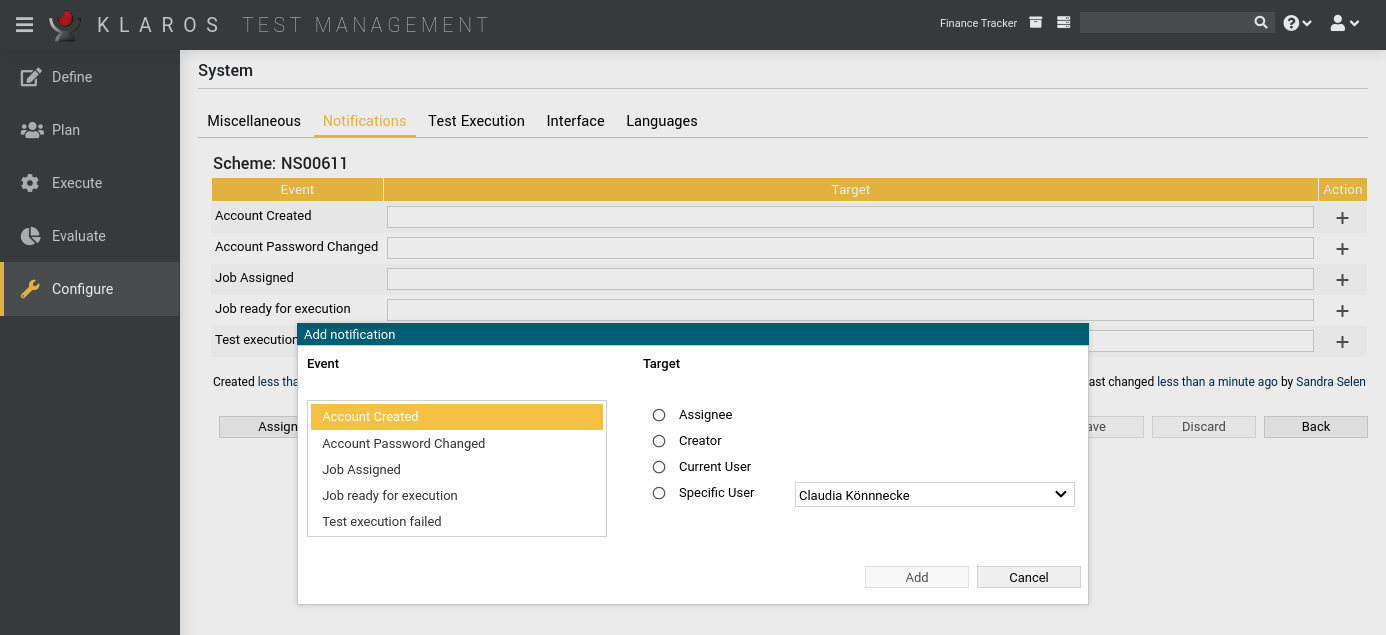
Email NotificationsThe status of operations such as completing a test, conducting a test review, and much more, can be delivered as an e-mail notification to participating users or other persons upon request. There are numerous configuration options that can be individually tailored per project. |
 |
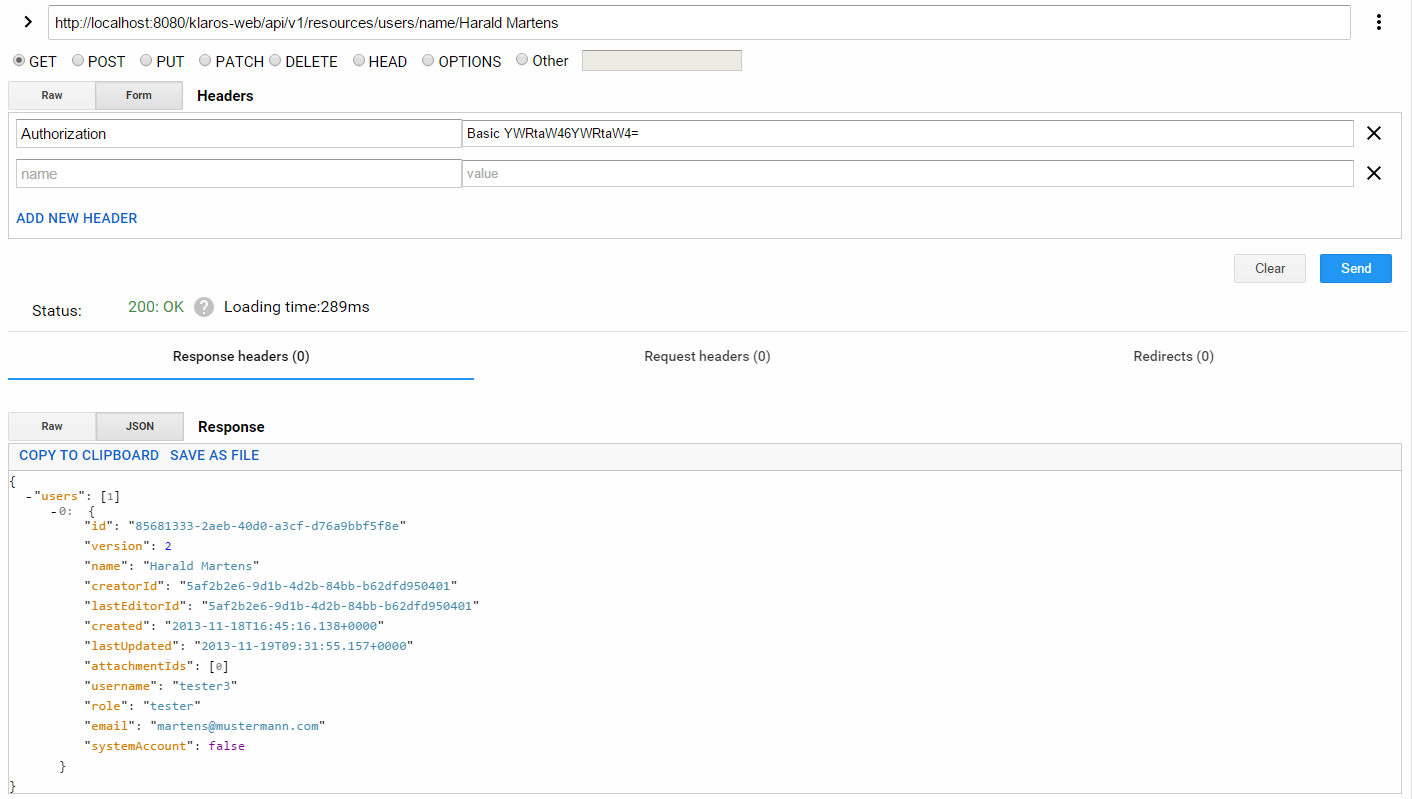
Remote Data Interface (REST)The data stored in the Klaros Test Management Software can be made available to other tools via the REST interface. Individual integrations with your own tools are easy to implement. This allows for a wide variety of additional integration options. |
 |
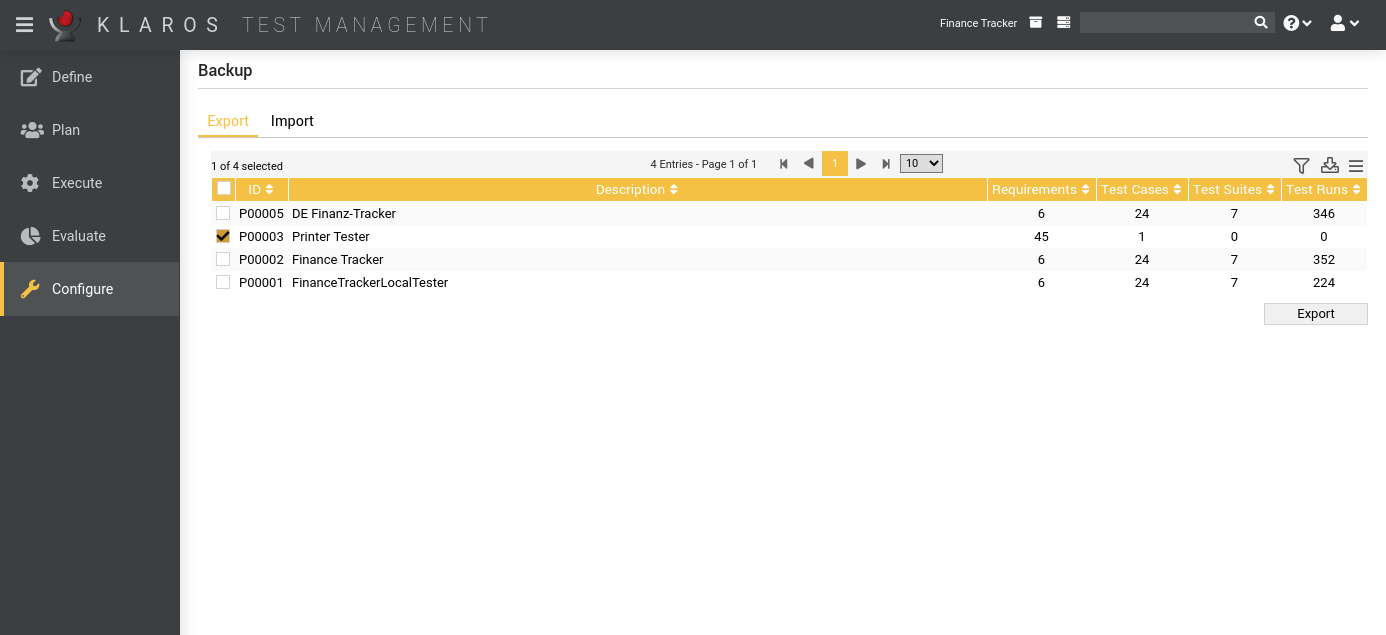
Save and RecoverThe backup data is stored in a XML format. Single projects or the entire database can be extracted and recovered. |
 |