Chapter 8. Configure

Table of Contents

8.1. System Information
8.2. Report Templates
8.2.1. Report Details
8.3. User Administration
8.3.1. Create User
8.3.2. Search User
8.3.2.1. Searching and Sorting Users
8.3.2.2. Editing User Properties
8.3.2.3. Deleting a User
8.4. Authentication
8.4.1. LDAP
8.5. System Parameters
8.5.1. E-Mail
8.5.2. Logging
8.5.3. General Settings
8.5.4. Issue Management
8.5.4.1. Adding a new Issue Management System
8.5.4.2. Editing an existing Issue Management System
8.5.4.3. Deleting an Issue Management System
8.6. Backup/Recovery
8.6.1. Backup Projects
8.6.2. Restore Projects

The Configure section enables to change the application settings, such as create or edit users, e-mail settings, JIRA settings, logging settings and backup and recovery of projects.

8.1.  System Information

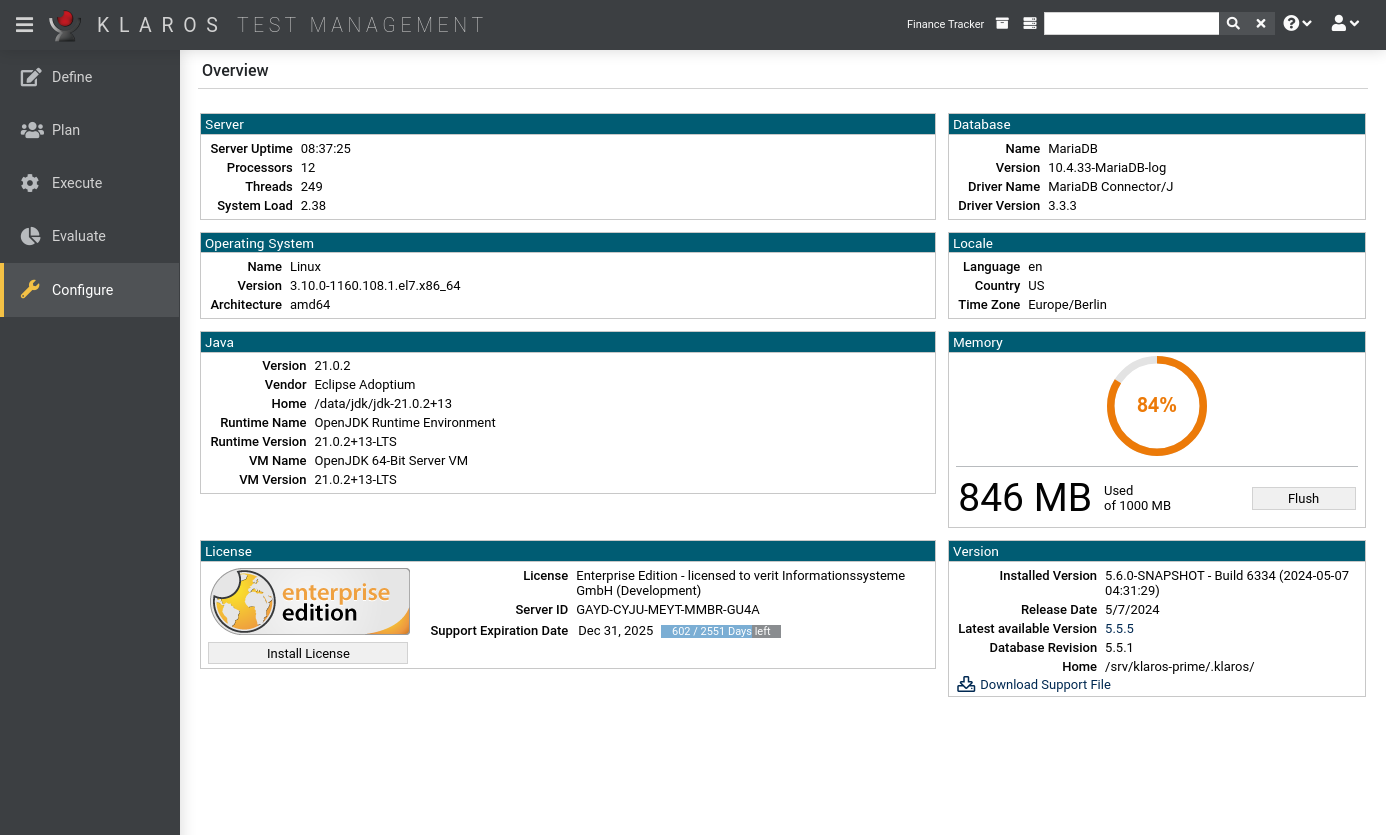
The first page shown is the System Information page. The System Information page contains information about the operating system, Java environment, memory usage and some other information about the system ( Figure 8.1 ).

Figure 8.1. The System Information Screen

The System Information Screen