| 5.3. Main Functions | ||
|---|---|---|

|
Chapter 5. Functional Overview |  |
| 5.3. Main Functions | ||
|---|---|---|
|
|
Chapter 5. Functional Overview | |
In this section, general cross-cutting functions of Klaros-Testmanagement are described in detail.
If an object is edited by two users at the same time, these changes may collide. The following measures are provided for this in the application.
When saving an object, an attempt is made to automatically resolve possible conflicts with concurrent changes as far as possible. Any changes made by other users that do not affect fields that the current user has changed are merged without additional user input.
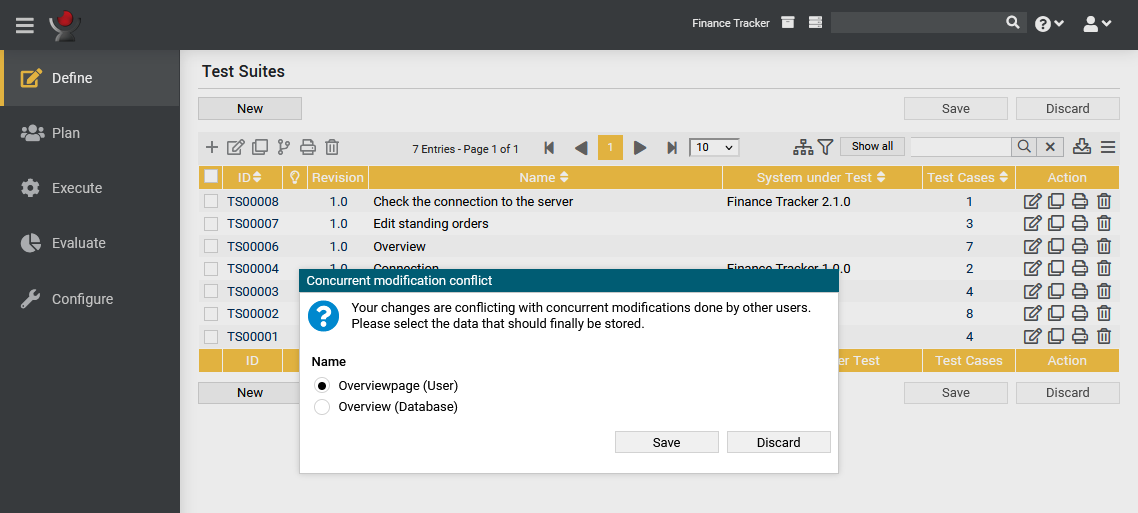
If field contents have been changed that were also changed by another user in the meantime, a dialog is displayed. There the user can choose how the conflict should be resolved.
Figure 5.28 shows the Conflict Resolution Dialog for a conflicting test case change.
For each conflict, the user has the choice of saving the object with the value they entered or keep the value currently present in the database. For lists, e.g. the list of test steps in a test case, the user has the option to Merge the changes or to keep the version which is currently in the database. This is to prevent the inadvertent loss of data through the deletion of objects which were added by other users.
The Merge option builds a list containing all the elements of both lists (user input and database) in an approximation of the correct order.
Clicking the button persists the selected changes to the database, while clicking the button discards them.
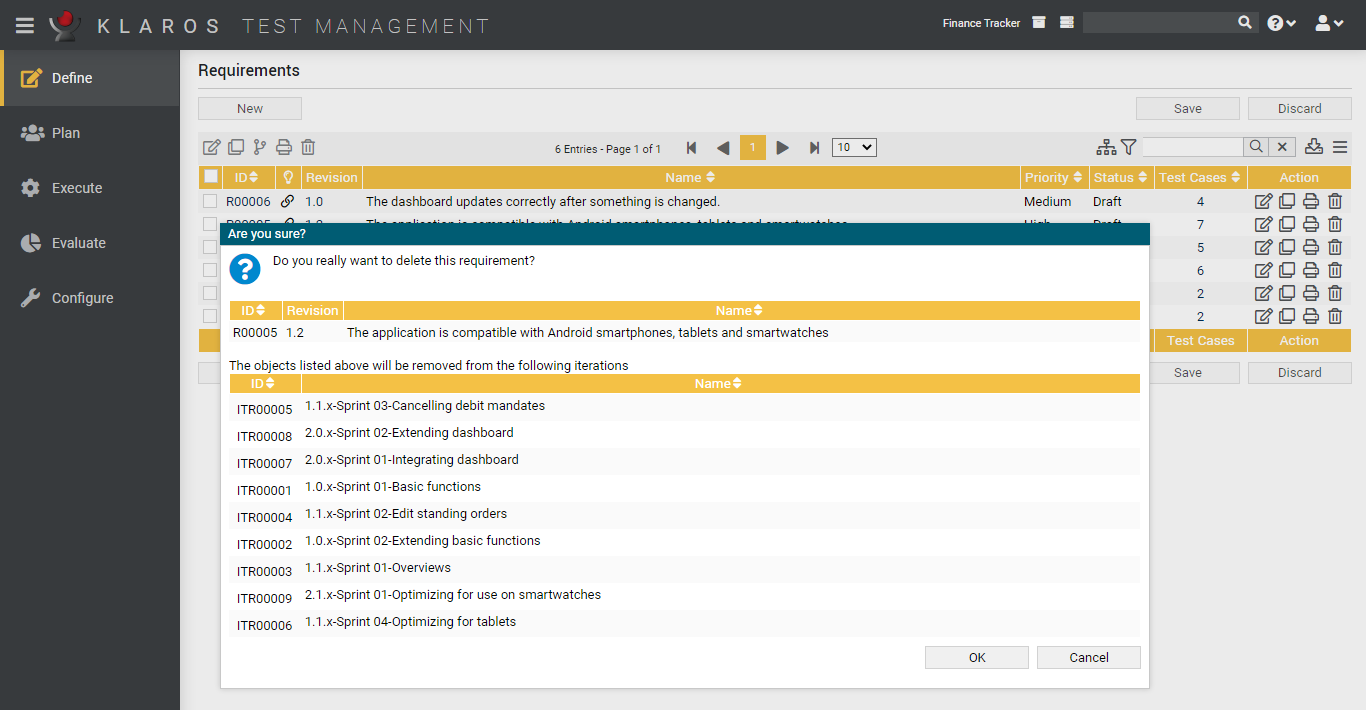
Objects can be deactivated or deleted by clicking on the icon so that they are no longer included in reports and evaluations. If the object to be deleted is linked to other objects (e.g. a requirement linked to a test case) or is contained in other objects (e.g. a test case contained in an execution definition), a dialog is displayed (see Figure 5.29).
In the dialog window all dependencies, relations and occurrences of the object to be deleted are displayed. With the object is deleted, with the window is closed, and the object is not deleted.
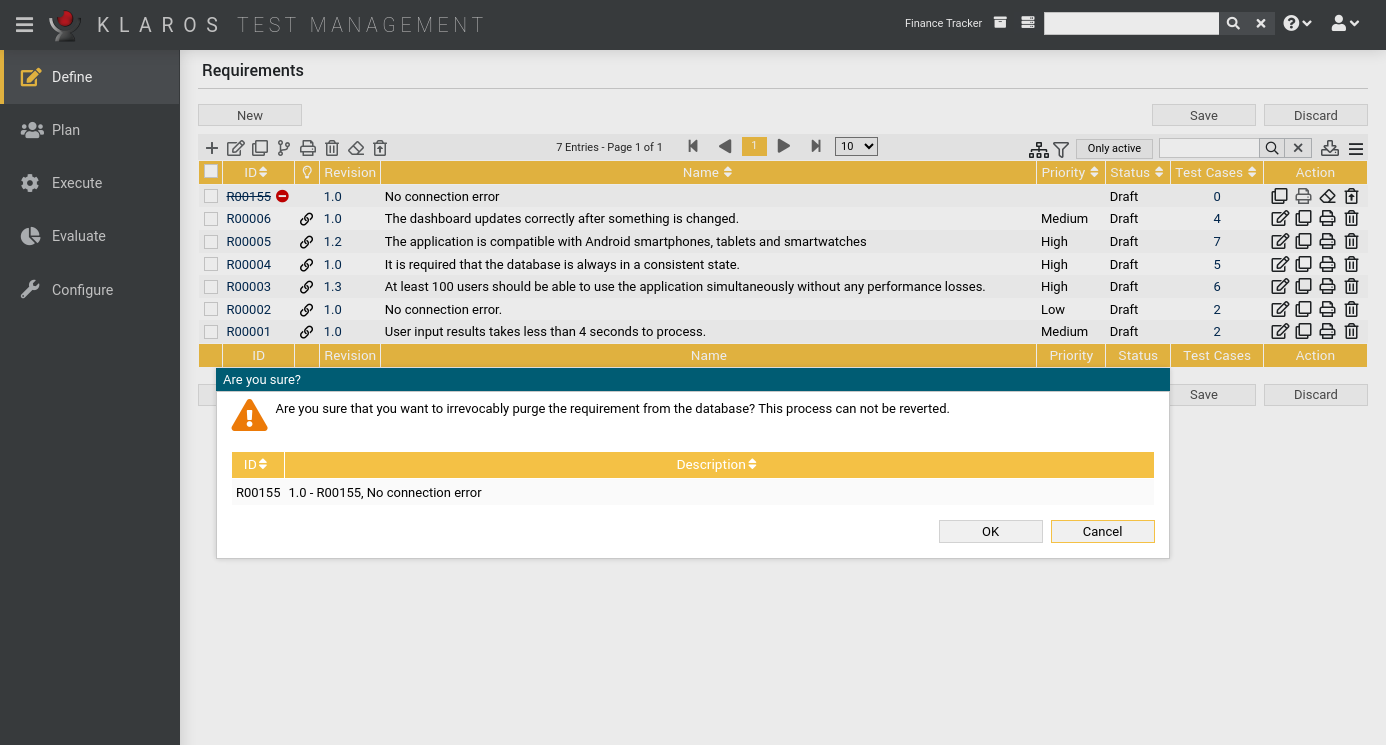
Objects can be irretrievably removed by clicking on the icon . For this, it is necessary that these objects have already been deleted or deactivated. By default deleted or deactivated objects are not displayed. By clicking on you can show them. After clicking on the icon , a dialog appears (see Figure 5.30). Clicking on restores the object, clicking on closes the window and the object remains deactivated.
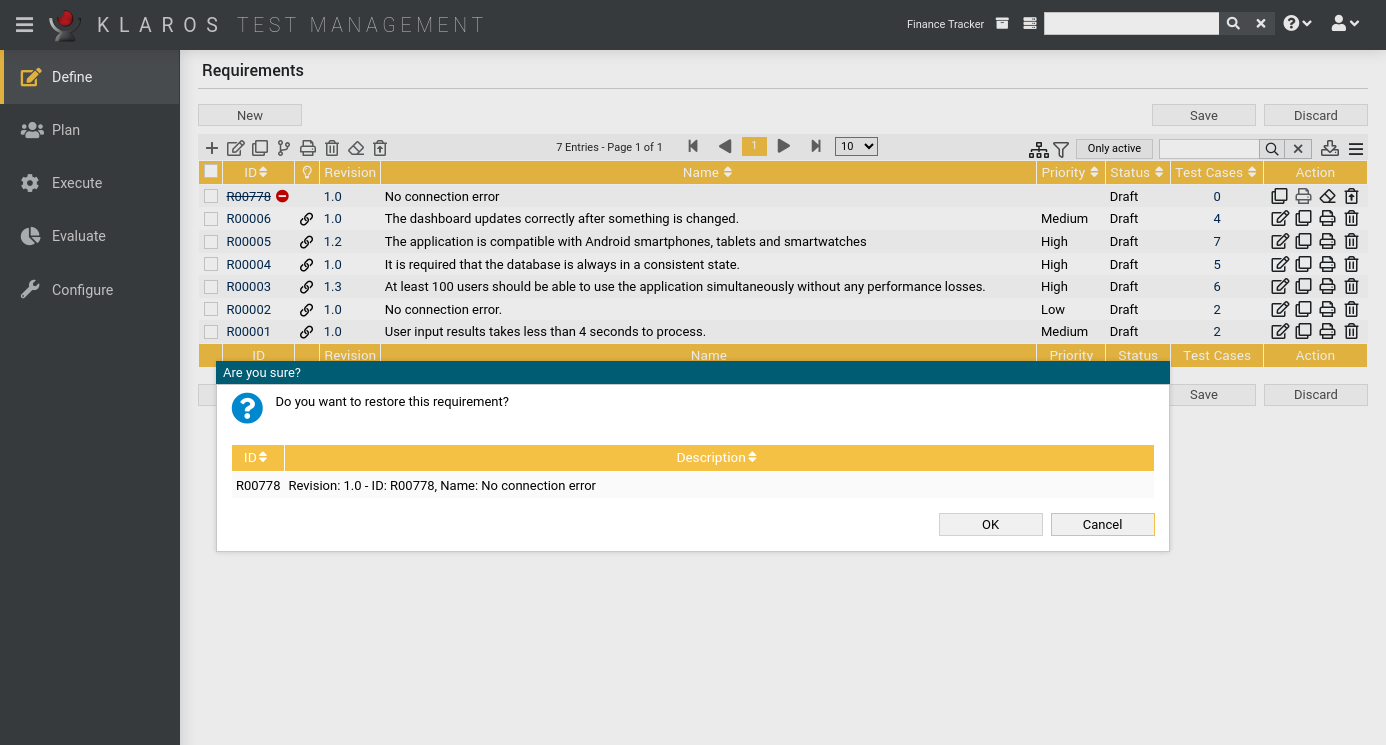
Deleted or deactivated objects can be restored by clicking on the icon . After clicking on the icon, a dialog appears (see Figure 5.31). Clicking on restores the object, clicking on closes the window and the object remains deactivated. Restored objects are included in reports and evaluations.
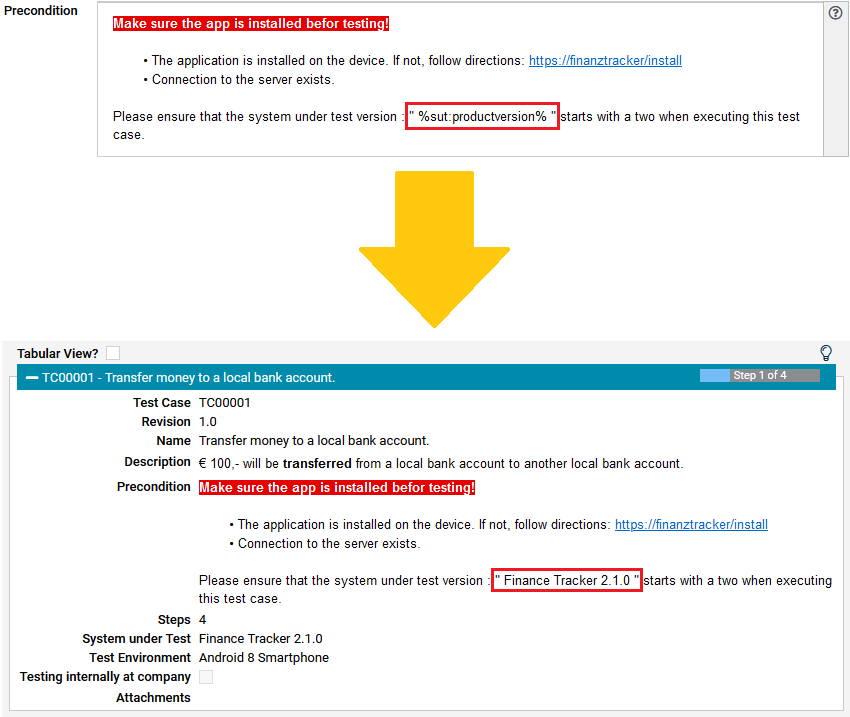
Properties and user defined properties ( Section 5.2.3.2.4, “User Defined Properties”) can be referenced and resolved in the displayed text fields while executing jobs, test cases or test suites. For example, the following test case precondition references the system under test in which it is executed:
"Please ensure that the operating system version in /config/os matches %sut:buildnumber% before executing this test case."
When executing this test case, %sut:buildnumber% gets replaced by the value of
the user defined property buildnumber of the system under test for which the
test case is executed.
So assuming the value for the property is 1.44_alpha3, the text will be output as follows:
"Please ensure that the operating system version in /config/os matches 1.44_alpha3 before executing this test case."
Property substitution is supported both for the common pre-defined attributes of an object (e.g. the name or id) and the user defined properties. The name of the common attributes can be derived from the corresponding bean methods defined in the de.verit.klaros.core.model .
Properties of the following objects are currently supported:
|
Iteration |
itr |
|
Job |
job |
|
System under Test |
sut |
|
Testcase |
tc |
|
Test Environment |
env |
|
Test Rin |
tr |
|
Test Segment |
seg |
|
Test Suite |
ts |
Assume that the following example text is used in the test case precondition:
"Please make sure that your system under test is using version %sut:productversion%."
The attribute name productversion is found in the class documentation for the
SUTImplementation class in
de.verit.klaros.core.model.KlarosSUTImplementation. Given that the version defined there has a value of
1.0.1, the following output will be rendered when displaying the precondition:
"Please make sure that your system under test is using version 1.0.1."
![[Tip]](images/tip.png) |
Property References are Case Insensitive! |
|---|---|
|
The left-hand side of a reference is case-insensitive. |
Similar to referencing user defined properties in test case and test case steps ( Section 5.3.3, “Referencing Object Properties”), values from binary attachments can be referenced as well. Currently, CSV and XLS files are supported.
Binary attachments of the following objects are currently supported:
|
Iteration |
itr-att |
|
Job |
job-att |
|
System under Test |
sut-att |
|
Test Case |
tc-att |
|
Test Environment |
env-att |
|
Test Run |
tr-att |
|
Test Segment |
seg-att |
|
Test Suite |
ts-att |
In addition to the above, the global wildcard att can be used.
The position of the attachment is thus not specified.
In this case, all objects involved in the test execution are searched for the attachment.
A placeholder can be defined in the form %[object type]:[file name]:[column]:[row]% using the following parameters:
Placeholder Parameters
|
[object type] |
The type of the object that is holding the binary attachment. |
|
[file name] |
The name of the binary attachment. |
|
[column] |
The column number of the value of the binary attachment. |
|
[row] |
The row number of the value of the binary attachment. |
![[Note]](images/note.png) |
Referencing Excel Files |
|---|---|
|
When referencing Excel files, cells can be addressed using Excel-Coordinates (e.g. C1 or AB24). This shortens the placeholder to %[object type]:[file name]:[coordinate]%. |
The file name, column and row parameters can also be defined using user defined properties.
So %itr-att:customers.csv:%job:Customer%:%job:CustomerNr.%% references the attachment
customers.csv of the current iteration, using the value in the column defined in the attribute
Customer of the current job and the row defined in the attribute CustomerNr.
|
Attachment References are Case Insensitive! |
|---|---|
|
The left-hand side of an attachment reference is case-insensitive.
|
|
|
 |
|
| 5.2. Page Overview |  |
Chapter 6. Define |