| 8.4. Continue Test Run | ||
|---|---|---|

|
Chapter 8. Execute |  |
| 8.4. Continue Test Run | ||
|---|---|---|
|
|
Chapter 8. Execute | |
If a test run is not completed and must be suspended, execution can be continued later. Execution continues with the first test step that does not yet have a result.
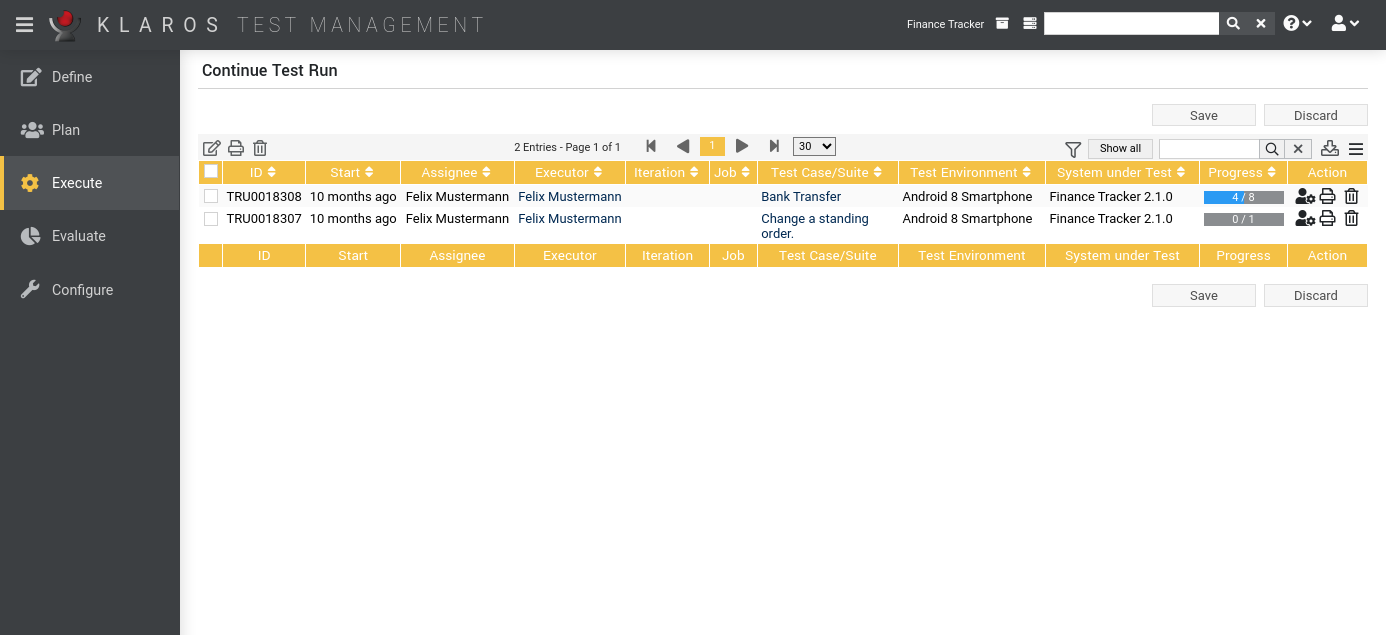
The Continue Test Run page displays all unfinished test runs of the selected project in a table.
![[Note]](images/note.png) |
Note |
|---|---|
|
The Testers may only resume their own test runs setting controls whether users with the Tester role can see and resume suspended test runs from other users ( Section 10.4.1, “Miscellaneous”). |
The table shows the following values:
|
ID |
The automatically assigned ID. |
|
Start |
The start time of the test run. |
|
Executor |
The name of the user who last executed the test run. |
|
Iteration |
The iteration in which the test run is being executed. |
|
Test Case/Suite |
The ID of the test case or test suite of the test run. |
|
Test Environment |
The test environment in which the test is being executed. |
|
System Under Test |
The system under test being tested. |
|
Progress |
The number of finished test cases. |
|
Action |
The executable actions. |
The following actions can be performed in the action column:
If a test run has been deleted, it is initially marked with a deletion marker and is only visible to administrators. For deleted test runs, the following actions are available instead of Delete:
|
Deleting a Test Run |
|---|---|
|
When a test run is deleted, the associated test case results and test suite results are also deleted Once all test runs for a specific system under test or test environment have been deleted, the respective system under test or test environment may also be deleted. Otherwise, they remain locked for deletion. |
Certain actions can also be applied to several test runs at once. To do this, select the test runs to which the action is to be applied in the leftmost column.
The following bulk actions are supported for test runs:
For additional information, see Section 5.2.3.1.5, “Bulk Actions”.
The following operations can be performed in the line above the table on the right:
All operations are described in detail in Section 5.2.3.1, “Overview Page”.
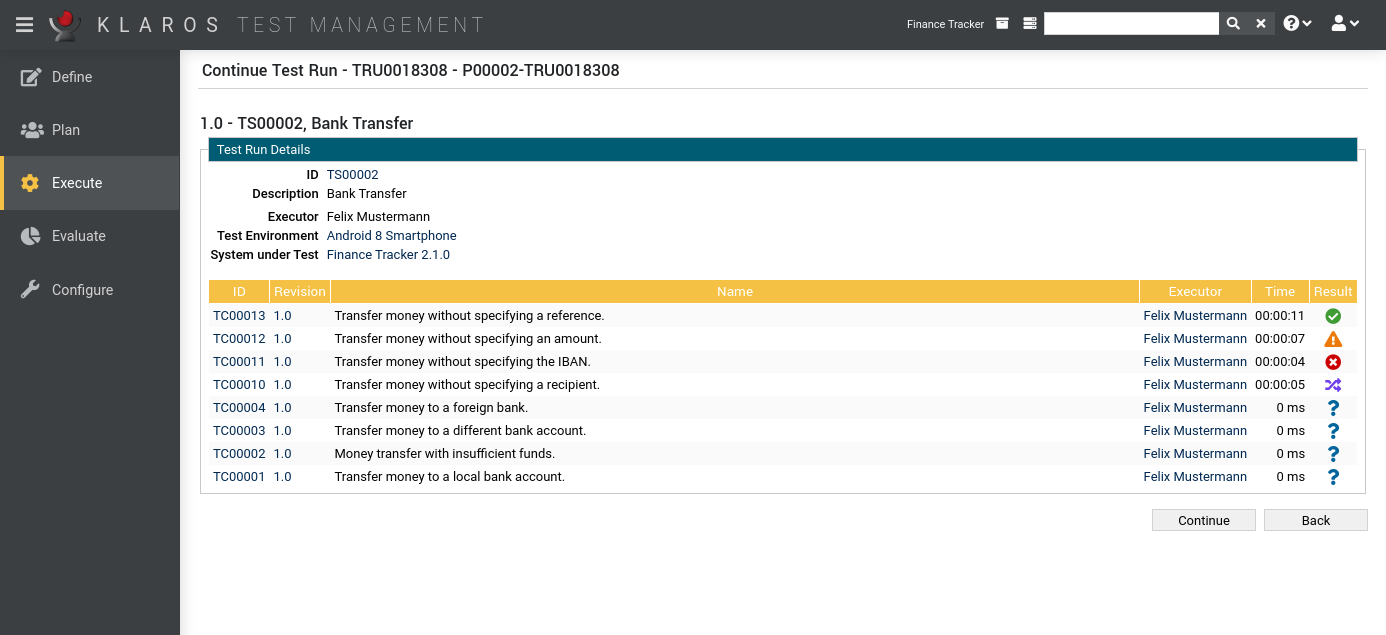
By clicking on the in the action column, you get to an overview page to continue the test run. All test case results and, if available, the test suite result of the test run are displayed in tables here.
Clicking the button resumes execution of the test run at the last saved test step.
Clicking the button navigates back to the Continue Test Run page ( Figure 8.16).
|
|
 |
|
| 8.3. Run Test Suite |  |
8.5. Import Test Results |